Guide · MCP
Instantly MCP: run your cold email from Claude, ChatGPT and AI agents
Connect Instantly to Claude, ChatGPT, Cursor or Codex through the FlyMy.AI MCP and your assistant gets the whole Instantly API v2: 268 actions for campaigns, leads, Unibox replies, analytics, webhooks, SuperSearch and Instantly's AI agents. The setup in three steps, prompts to paste, what happens before it sends or spends, and how it compares with Instantly's own MCP server.
 By the FlyMy.AI team
16 min read

What is the Instantly MCP?
Instantly is a cold email platform: sending accounts with warmup, campaigns with multi-step sequences, leads and lead lists, Unibox with the replies of every account in one inbox, and SuperSearch to find new leads. All of it is also reachable through the Instantly API v2.
The Model Context Protocol (MCP) is an open standard for connecting AI assistants to tools. An MCP server publishes tools; the assistant reads their descriptions and calls the one a task needs. An Instantly MCP server publishes the Instantly API as tools, so you can ask "which campaign got the most replies this week?" and the assistant makes the API calls and answers.
There are two ways to get one:
- Instantly's hosted server at
mcp.instantly.ai. Instantly's docs say it exposes the full Instantly V2 API as tools generated from the API spec; you connect it with your Instantly API key. - The Instantly MCP inside the FlyMy.AI MCP at
https://mcp-agents.flymy.ai/mcp: 268 Instantly actions next to 1,500+ other tools, 500+ AI models and agents that run in the cloud. Your Instantly key is saved once in your FlyMy.AI account.
This guide sets up the second one and compares both further down.
What's new: the whole Instantly API on FlyMy.AI
Until this release the Instantly connector on FlyMy.AI had 27 actions for campaigns, leads, sending accounts and analytics. Platform log 2.2.1 adds every other operation of Instantly's public API reference, which we read again on release day, 13 November 2026: 268 operations in 37 groups, one action each.
- New areas. Unibox, webhooks and their events, subsequences, the block list, inbox placement tests, SuperSearch and enrichment, workspace members and API keys, and Instantly's four kinds of AI agents.
- Every documented field is an argument. Each action has a typed schema generated from the reference, nested objects, enums and limits included, and a request is checked against it before it is sent.
- Whole answers. A CSV export or another text answer comes back in full; the old connector cut text at 2,000 characters.
- Long jobs are followed up. An action that starts background work, such as a warmup change, the connection of a Google or Microsoft inbox or a local business conversion, names the read that tracks it.
What your assistant can do in Instantly
The 268 actions fall into seven families. The Instantly MCP page lists every action with its description, and the Instantly docs page covers the connection fields.
| Family | Actions | What your assistant can do |
|---|---|---|
| Campaigns and subsequences | 30 | Create, update, activate, pause, duplicate, share and export campaigns; analytics totals, overview, daily and per step; why a campaign is not sending. |
| Leads, lists, labels and the block list | 34 | Import up to 1,000 leads per call; search, update, move, merge and assign leads and set their interest status; lead lists and labels; the block list with a CSV download. |
| Sending accounts | 30 | Add, update, pause and resume accounts; warmup on or off and its analytics; account vitals; connect Google or Microsoft inboxes; order done-for-you accounts. |
| Unibox and deliverability | 26 | List, read, reply to and forward emails, count unread and mark threads read; verify an email address; inbox placement tests and their reports. |
| Workspace, webhooks and tags | 46 | Workspace, plan, members and workspace group; API keys, audit log and background jobs; webhooks and their events; custom tags on accounts and campaigns. |
| SuperSearch and lead sources | 39 | Count, preview and enrich SuperSearch leads; saved searches, company lists, creator search and local business search. |
| Instantly AI agents | 63 | AI sales agents, inbox managers, lead finder agents and the deliverability agent: settings, activity, approvals and analytics. |
How to connect Instantly MCP in three steps
You need an Instantly workspace where you can create an API v2 key and an assistant that speaks MCP. A free FlyMy.AI account is enough to start; you can create it while you sign in.
1. Create an Instantly API key
In Instantly, open Settings, Integrations and the API Keys section. Click Create API Key, give it a name such as FlyMy.AI, select its scopes and press Create. Copy the key right away: Instantly shows it only once.
Scopes decide what the key may do. Instantly names the scopes of each operation on its reference page, such
as campaigns:read, leads:all or all:all; an action outside the key's
scopes answers 403.
2. Add FlyMy.AI to your assistant
The FlyMy.AI MCP lives at one URL, https://mcp-agents.flymy.ai/mcp, and you sign in to it. There is no FlyMy.AI key to copy.
- Claude Code: run
claude mcp add --transport http flymyai https://mcp-agents.flymy.ai/mcp, then/mcpto sign in. - Codex: run
codex mcp add flymy --url https://mcp-agents.flymy.ai/mcp, thencodex mcp login flymy. - claude.ai, Claude Desktop and ChatGPT: Settings, Connectors, Add custom connector, then paste the URL and sign in.
- Cursor and other MCP clients: add the same URL as a remote MCP server.
3. Save the key in FlyMy.AI
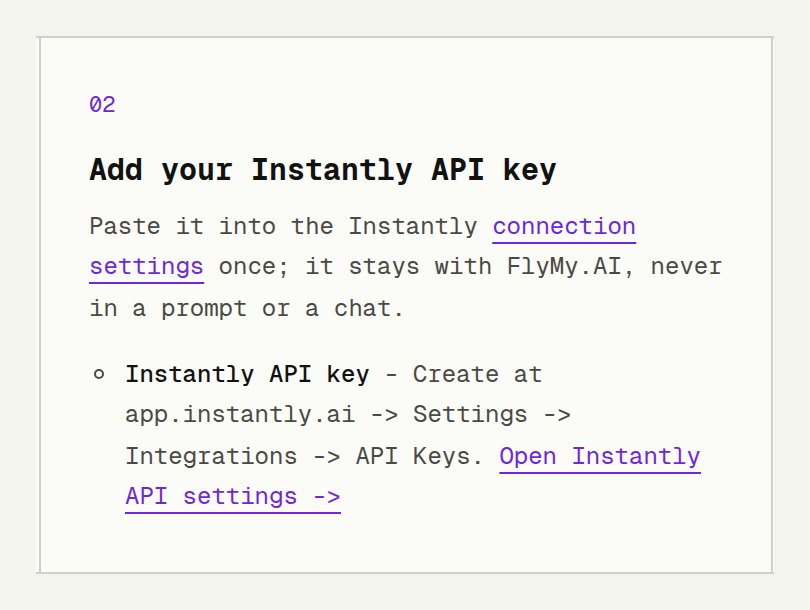
Open the Instantly connection settings, paste the key into Instantly API key and save. The key stays in your FlyMy.AI account, not in a prompt, a chat or your assistant's config. If you skip this step, your assistant gets the same link the first time it needs Instantly.
Check the connection
Start with a request that only reads:
Show my Instantly workspace name and list my sending accounts with their warmup status.
Your assistant finds the Instantly actions through FlyMy.AI's tool search and calls instantly_workspace_current and instantly_accounts_list.
Prefer to let the assistant do the setup? Paste this into any assistant:
Read https://flymy.ai/skill.md and https://flymy.ai/mcp/instantly.md. Help me connect Instantly MCP to this assistant. Then help me run this task: Which of my Instantly campaigns got the most replies this week? Show sent, opens and replies for each.
Use cases with ready prompts
Paste these into an assistant connected to FlyMy.AI and change the names to yours. Under each prompt are the actions it runs on.
1. See which campaigns get replies
A weekly report with no export: sent, opened and replied for each campaign, from Instantly's campaign analytics.
Which of my Instantly campaigns got the most replies in the last 7 days? Show sent, opens, replies and reply rate for each, best first.
Uses instantly_campaigns_list and instantly_campaign_analytics.
2. Sort Unibox replies and draft answers
The assistant reads the unread replies, groups them, sets each lead's interest status and drafts answers that you approve one by one.
Read my unread Instantly replies from the last 24 hours. Group them into interested, not now and not interested, set each lead's interest status, and draft an answer to every interested reply. Show me the drafts and send nothing until I approve each one.
Uses instantly_emails_list, instantly_lead_interest_status_update and, after your approval, instantly_email_reply.
3. Import leads from a sheet without duplicates
Instantly's bulk import takes up to 1,000 leads per call, checks them against your block list and can skip anyone already in your workspace. With the Google Sheets connector the leads can come straight from a sheet.
Add the leads from my Google Sheet 'Q4 prospects' to my Instantly campaign 'Founders Q4'. Skip anyone already in my workspace and tell me how many were uploaded, skipped, duplicated or on the block list.
Uses instantly_campaigns_list and instantly_leads_add, with Google Sheets for the rows.
4. Check deliverability before a launch
Warmup health scores and account vitals for every sending account, in one answer.
Check the warmup health and vitals of all my Instantly sending accounts and list the ones that need attention, worst first.
Uses instantly_accounts_list, instantly_accounts_warmup_analytics and instantly_accounts_test_vitals.
5. Send replies to your own system with a webhook
Instantly can call your URL on events such as reply_received, lead_interested or lead_meeting_booked.
Create an Instantly webhook that sends every reply_received event to https://example.com/hooks/instantly, then send it a test event.
Uses instantly_webhook_create and instantly_webhook_test.
6. Find new leads with SuperSearch, preview first
SuperSearch filters by title, department, level, location, industry, employee count, technologies and more. Counting and previewing only read; enriching leads into a list spends Instantly credits, so ask for a preview first.
Use Instantly SuperSearch to count heads of marketing at SaaS companies in Germany with 50 to 200 employees and show me a preview of ten. Do not enrich or import anyone until I approve.
Uses instantly_supersearch_count_leads, instantly_supersearch_preview_leads and, after your approval, instantly_supersearch_enrich_leads.
7. Leave an agent running in the cloud
A FlyMy.AI project keeps working after you close the chat: on a schedule, with Instantly and any other connector, such as Slack for the summary.
Create a FlyMy.AI project that every weekday morning reads my new Instantly replies, marks the interested leads and sends me a short summary in Slack.
Uses a FlyMy.AI project with the Instantly and Slack connectors.
What happens before it sends, deletes or spends
An assistant in your Instantly workspace can do real things: send email, delete leads, spend credits. FlyMy.AI labels every action by what it does, whatever its HTTP method says, so a search sent as POST is still a read.
| What it does | Actions | Examples |
|---|---|---|
| Reads | 133 | Analytics, lists, Unibox, SuperSearch counts and previews. 18 of them are searches or reports sent as POST. Safe to repeat. |
| Writes | 81 | Create or update campaigns, import or move leads, pause accounts, set up webhooks. |
| Sends | 9 | Activate a campaign or resume a subsequence, reply, forward, test emails and inbox placement tests, a webhook test, member invitations. |
| Deletes | 32 | Campaigns, leads, lists, sending accounts, webhooks, API keys and more, for good. |
| Spends | 13 | SuperSearch and AI enrichment, lead finder agents, creator search, local business conversion, company lists, done-for-you orders, email verification. |
- Your assistant is asked to confirm first. The Instantly instructions FlyMy.AI gives your assistant say to confirm every change with you, and name the actions that send real email, delete for good or spend credits or money.
- A write goes out once. When Instantly's answer is lost (a timeout or a 5xx), FlyMy.AI reports the outcome as unknown and does not send the call again. A write Instantly refused, such as a 400, 403, 422 or 429, did not happen, so a corrected call can go.
- Imports carry an idempotency key. Every lead import goes with Instantly's
idempotency_key: yours, or one FlyMy.AI derives from the call and records with it. Instantly answers a repeat with the same key and the same leads with the leads it already created instead of adding them again. - A selection never widens. An empty,
.or..ID is refused before the call, because a URL would drop it and a single delete could turn into "delete all". A bulk delete, move or assign is never sent with an empty list of IDs. - Keys stay masked. Listing your Instantly API keys shows them masked; a new key is shown once, when it is created.
Instantly's own MCP server or FlyMy.AI?
Both give an assistant the Instantly API. They differ in where your key lives and in what else the assistant can reach. The table sticks to what each one documents; Instantly's MCP docs were read on 13 November 2026.
| Question | FlyMy.AI MCP | Instantly MCP server |
|---|---|---|
| API coverage | 268 actions, one per operation of the API v2 reference, checked against it on 13 November 2026 | The full V2 API, with tools generated from the API spec |
| Server URL | https://mcp-agents.flymy.ai/mcp | https://mcp.instantly.ai/mcp |
| Your Instantly key | Saved once in your FlyMy.AI account; the assistant signs in to FlyMy.AI | In the client: the Authorization or x-instantly-api-key header, or in the URL path, which their Claude Desktop and Cursor setup uses |
| Other tools on the same server | 1,500+ tools such as HubSpot, Google Sheets, Slack and Gmail, web search and 500+ AI models | Instantly |
| Work on a schedule | FlyMy.AI projects run agents in the cloud on a schedule | Your MCP client makes the calls when you ask |
| Tool names | instantly_campaigns_list, instantly_campaign_analytics | list_campaigns, get_campaign_analytics |
Sources: Instantly MCP docs, introduction, quickstart, authentication and available tools, read on 13 November 2026.
Pick Instantly's server if Instantly is the only tool your assistant needs and you are fine keeping the key in the client's config. Pick FlyMy.AI when the work spans tools - leads from a sheet or a CRM, research on the web, a summary in Slack - when the key should stay out of client configs, or when an agent should keep working on a schedule.
What it costs
Calls go to your own Instantly account, under its plan and limits: sending volume, SuperSearch and enrichment
credits, done-for-you accounts. FlyMy.AI meters each tool call by the seconds it runs, at $0.000037 per
second of tool time, with no seats and no minimum; an agent that runs on FlyMy.AI also pays for its model.
In our production check on 13 November 2026, instantly_workspace_current answered in 529 ms, about
$0.00002 of tool time. Every run shows what it cost; see pricing.
Limits and troubleshooting
401: the key is wrong or was deleted
Create a new key in Instantly and paste it into the Instantly connection settings again.
403: the key lacks a scope
The key's scopes do not cover that operation. Create a key with the scopes your workflow needs; Instantly lists them on each reference page.
429: too many requests
Instantly allows 100 requests per second and 6,000 per minute per workspace, shared by API v1 and v2 and by
every key. FlyMy.AI keeps Instantly's Retry-After with the error, so the assistant knows how long
to wait; spread large jobs over the day.
Moving accounts to another workspace fails
Instantly allows it only with the API key of the admin workspace of a workspace group.
Tagging a workspace is refused
Instantly accepts workspace tags only from a signed-in user, not from an API key. Tags on accounts and campaigns work with a key.
No switch for workspace-wide open tracking
"Disable open tracking" and "Always send first email as text-only" have no public API endpoint. Set
open_tracking and first_email_text_only on each campaign instead.
FAQ
Is there an Instantly MCP?
Yes. Instantly runs a hosted MCP server at mcp.instantly.ai, and the FlyMy.AI MCP includes Instantly with 268 actions, one for every operation of the Instantly API v2 reference, next to 1,500+ other tools. Both connect with your Instantly API key.
What does MCP stand for?
Model Context Protocol. It is an open standard, introduced by Anthropic in November 2024, for connecting AI assistants to tools and data. Claude, ChatGPT, Cursor and Codex can all use MCP servers.
Does Instantly have an API?
Yes. The Instantly API v2 is a REST API at api.instantly.ai/api/v2 that takes an API key as a Bearer token. Its public reference lists 268 operations in 37 groups. The rate limit is 100 requests per second and 6,000 per minute per workspace.
Where do I find my Instantly API key?
In Instantly, open Settings, Integrations and the API Keys section (app.instantly.ai/app/settings/integrations), click Create API Key, name it, select its scopes and press Create. Copy the key right away: Instantly shows it only once and cannot recover it.
Instantly API or Instantly MCP: which do I need?
The API is for code you write. The MCP lets an AI assistant call the same API from a request in plain words, with no code. Both use the same Instantly API key, so you can start with the MCP and script the parts you repeat.
Can I use Instantly with ChatGPT?
Yes. Add the FlyMy.AI MCP to ChatGPT as a custom connector (Settings, Connectors, Add custom connector, https://mcp-agents.flymy.ai/mcp), sign in, and save your Instantly API key once in FlyMy.AI. The same steps work in claude.ai and Claude Desktop.
Can Claude send emails through Instantly?
Yes. With the Instantly MCP, Claude can reply to and forward Unibox emails, send test emails and activate campaigns. These actions send real email, and the Instantly instructions FlyMy.AI gives Claude say to confirm with you before any change.
Is there an AI for cold email?
Instantly has its own AI agents for sales replies, inbox management, lead finding and deliverability, and its API exposes all four (63 actions on FlyMy.AI). With an MCP, a general assistant such as Claude or ChatGPT can also read your replies, draft answers and report on your campaigns.
What is a simple AI agent?
A model that uses tools in a loop to finish a task: it reads what it needs, calls a tool, checks the result and decides the next step. Claude with the Instantly MCP that reads yesterday's replies and drafts answers is a simple AI agent; a FlyMy.AI project can run one on a schedule.
How much does the Instantly MCP cost on FlyMy.AI?
Creating a FlyMy.AI account is free. A tool call is metered by the seconds it runs, at $0.000037 per second, with no seats and no minimum; a read of half a second costs about $0.00002. Instantly's own usage stays under your Instantly plan.
Give your assistant the whole Instantly API
268 actions on one MCP server, your key saved once, and 1,500+ other tools beside them.