Guide · MCP
Hermes Agent MCP: give Hermes 1,500+ tools with one server
Connect Hermes Agent by Nous Research to the FlyMy.AI MCP and it gets 1,500+ tools, 500+ AI models
and cloud agents in one step. Three ways to sign in - in the browser, with a device code on a server,
or with an API key - with the exact commands, the 30-second pitfall of hermes mcp add and
prompts to paste.
 By the FlyMy.AI team
12 min read

What is Hermes Agent?
Hermes Agent is an open-source AI agent built by Nous Research and released under the MIT license. Its README calls it "the self-improving AI agent": it creates skills from experience, improves them while it uses them, keeps a memory and searches its own past conversations.
- It runs where you work. A full terminal interface, and one gateway process for Telegram, Discord, Slack, WhatsApp and Signal.
- It runs on any model. Nous Portal, OpenRouter, OpenAI, your own endpoint and many other providers;
hermes modelswitches between them. - It runs anywhere. Six built-in terminal backends: local, Docker, SSH, Modal, Daytona and Vercel Sandbox.
- It runs on its own. A built-in scheduler for unattended automations, and subagents for parallel work.
On Linux, macOS and WSL2 it installs with one command from the README,
curl -fsSL https://hermes-agent.nousresearch.com/install.sh | bash, and hermes chat
starts a session. What Hermes can do beyond its own tools comes from MCP servers, and that is where FlyMy.AI fits.
How MCP works in Hermes
The Model Context Protocol (MCP) lets an agent call tools that live on a server. Hermes is an MCP client: it connects to the servers in your config, discovers their tools at startup and uses them like its own. A local server is a command Hermes starts; a remote one, like FlyMy.AI, is a URL.
- Where servers live: under
mcp_serversin~/.hermes/config.yaml.hermes mcp addconnects once, lets you pick the tools and writes the entry for you. - How remote servers sign in: OAuth 2.1 with PKCE in the browser, device-code login (RFC 8628), or plain headers. Tokens are saved in
~/.hermes/mcp-tokens/and refreshed automatically. - Secrets stay out of the config: a header can say
${FLYMY_API_KEY}, and Hermes reads the value from~/.hermes/.env.
Sources: Hermes Agent docs, MCP and MCP config reference, and the hermes-agent repository, read on 12 November 2026.
What Hermes gets from the FlyMy.AI MCP
The FlyMy.AI MCP is one server with 1,500+ tools and 500+ models behind it. Add it once and Hermes can ask for any of them in plain words:
1,500+ tools
Connectors such as Gmail, Slack, Notion and GitHub. Hermes gives you a link to connect each account once.
Web search built in
Search and page reading work out of the box, with no key of your own.
500+ AI models
Image, video, audio and speech models and LLMs on one key and one balance.
Agents in the cloud
Hermes can start a FlyMy.AI project that keeps running on a schedule after your laptop closes.
Calls are billed to your FlyMy.AI balance. A provider's tool or model costs the provider's own price, with 0% markup, and every run shows what it cost.
What's new for Hermes on FlyMy.AI
Today's release makes FlyMy.AI work with Hermes wherever Hermes runs. The platform log, version 2.2.0, lists each change.
Device-code sign-in
An agent on a server shows a code; you approve it at app.flymy.ai/oauth/device from any device. Works with hermes mcp login flymy --flow device.
The API key as a Bearer token
Authorization: Bearer fly-... now works the same as X-Api-Key, so Hermes's --auth header connects.
Hermes setup on every MCP page
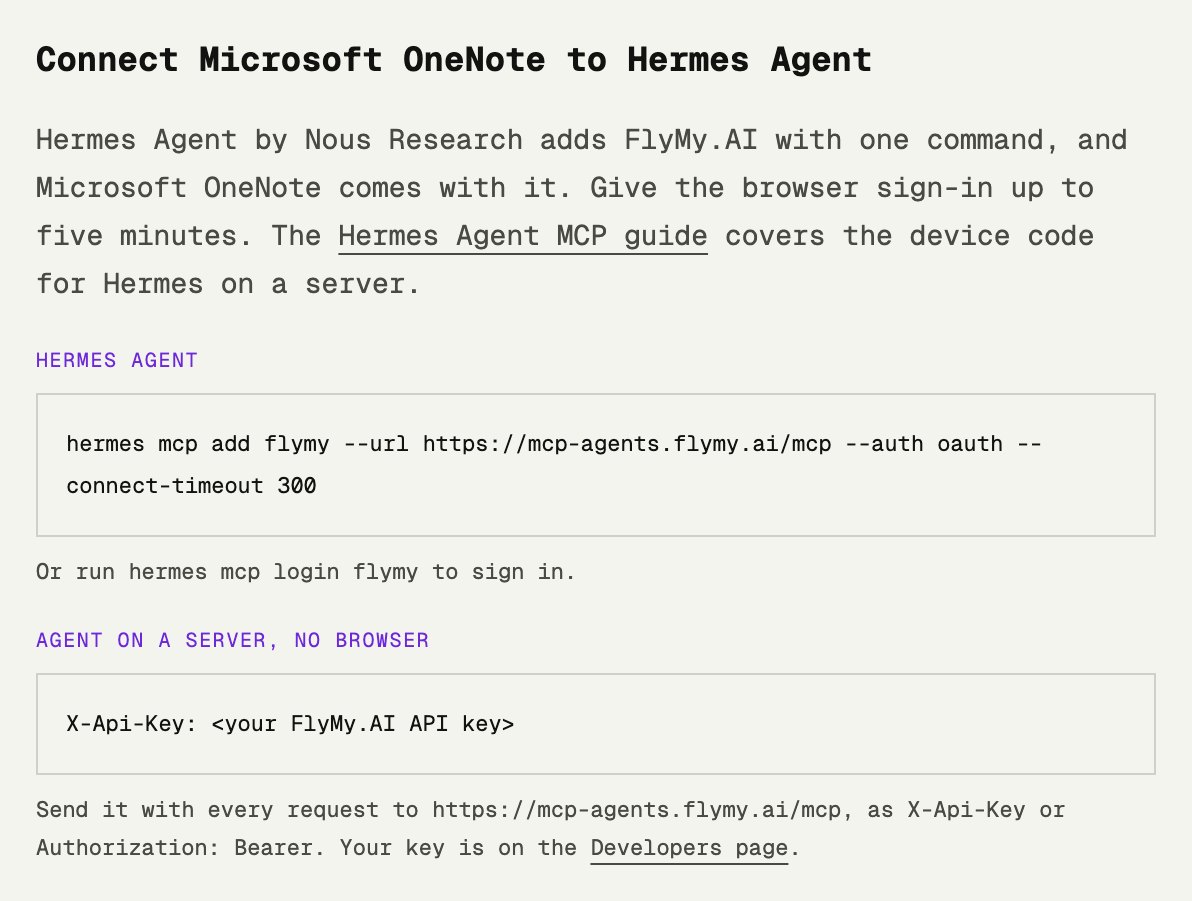
Each connector page, Microsoft OneNote for one, now has a "Connect to Hermes Agent" block.
Prisma by service token
Prisma also connects with a service token, which suits an agent on a server.
Pick a way to connect
The right sign-in depends on where Hermes runs and whether a person is around when it connects.
| Where Hermes runs | Sign-in | Command |
|---|---|---|
| Your laptop or desktop, with a browser | Browser (OAuth) | hermes mcp add flymy --url https://mcp-agents.flymy.ai/mcp --auth oauth --connect-timeout 300 |
| A server, a VPS, Docker or an SSH session | Device code | hermes mcp login flymy --flow device |
| Scripts, CI and unattended gateways | API key | hermes mcp add flymy --url https://mcp-agents.flymy.ai/mcp --auth header |
Scroll the table sideways to see the commands.
All three end the same way: Hermes lists the FlyMy.AI tools, and you choose to enable all of them or a few. A free FlyMy.AI account is enough to start; you can create it during sign-in.
Way 1: sign in with the browser
1. Add the server
hermes mcp add flymy --url https://mcp-agents.flymy.ai/mcp --auth oauth --connect-timeout 300
2. Sign in and approve
Hermes registers itself with FlyMy.AI and opens the sign-in page. Sign in or create an account, choose the
account to connect - your own or a team - and click Allow. The browser hands the code back to Hermes on
127.0.0.1.
3. Pick the tools
Hermes shows the FlyMy.AI tools and asks whether to enable all of them. Then start a session with hermes chat.
Why --connect-timeout 300? hermes mcp add connects once to list the
tools, and that first connection includes the whole browser sign-in. By default it waits 30 seconds
(connect_timeout in hermes_cli/mcp_config.py). Creating an account and approving
often takes longer; then Hermes stops listening and the browser lands on a closed local port. Already added
the server? hermes mcp login flymy signs in with a five-minute window.
Way 2: a device code for Hermes on a server
On a server there is no browser, and a browser on your laptop cannot reach the server's 127.0.0.1.
Device-code sign-in, standardized as RFC 8628, avoids both: Hermes shows a short code, and you approve it on any
device you are signed in on.

1. Add FlyMy.AI to the config
In ~/.hermes/config.yaml on the server (the profile your gateway uses):
mcp_servers:
  flymy:
    url: https://mcp-agents.flymy.ai/mcp
    auth: oauth
    oauth:
      flow: device
2. Start the login on the server
hermes mcp login flymy --flow device
Hermes prints MCP OAuth: open https://app.flymy.ai/oauth/device on any device. and the code.
3. Approve from any device
Open app.flymy.ai/oauth/device, sign in, type the code, choose the account and click Allow. The page says the device is connected, and Hermes saves its token.
4. Start Hermes
Run hermes chat or restart your gateway. The token refreshes by itself; run the login again only if you disconnect the app.
With flow: device in the config, a plain hermes mcp login flymy uses the device code too. Hermes starts a device login only from a terminal, never from a background reconnect.
Way 3: an API key in a header
For scripts, CI and gateways that nobody watches, skip sign-in and send your FlyMy.AI API key. Find it on the
Developers page in the app; it starts with fly-.
With the Hermes CLI
hermes mcp add flymy --url https://mcp-agents.flymy.ai/mcp --auth header
Answer yes to "Does this server require authentication?" and paste the key at "API key / Bearer token". Hermes
saves it as MCP_FLYMY_API_KEY in ~/.hermes/.env and sends it as
Authorization: Bearer, which FlyMy.AI accepts since today's release.
In config.yaml
mcp_servers:
  flymy:
    url: https://mcp-agents.flymy.ai/mcp
    headers:
      X-Api-Key: ${FLYMY_API_KEY}
Then add FLYMY_API_KEY=fly-... to ~/.hermes/.env. X-Api-Key and
Authorization: Bearer work the same; if a request carries both, X-Api-Key is used.
Treat the key like a password. It spends your FlyMy.AI balance. If it leaks, issue a new key on the Account page in the app; the old one stops working at once.
Check the connection
hermes mcp listshowsflymyamong your servers.hermes mcp test flymyconnects and lists the tools.- In a chat, ask which account you are connected as:
Which FlyMy.AI account are you connected to, and what can you do with it?
Use cases with ready prompts
Paste these into hermes chat or a message to your Hermes gateway.
Make an image
Make a 16:9 image of a lighthouse at dawn with a FlyMy.AI image model and give me the link.
Research the web
Search the web for this week's three biggest AI news stories and summarize each in two sentences with the source link.
Ask another model
Ask Claude Haiku 5.5 on FlyMy.AI for three names for my coffee shop and tell me which one you like best.
Leave an agent running in the cloud
Create a FlyMy.AI project that finds three AI news stories every morning and sends me a short summary.
The first time Hermes needs an app such as Gmail or Slack, it gives you a link to connect your account; after that the connection stays in your FlyMy.AI account for every session.
Troubleshooting
"Connecting to MCP server 'flymy' timed out after 30s"
The browser sign-in did not finish within hermes mcp add's 30 seconds. Run the command again with
--connect-timeout 300, or save the config when Hermes offers it and run
hermes mcp login flymy.
The browser shows "This site can't be reached" on 127.0.0.1 after Allow
Nothing was listening on that port: Hermes had stopped waiting, or it runs on another machine. While Hermes is still waiting, you can copy the address from the browser bar and paste it at the Hermes prompt. On a server, use the device code instead.
401 "Missing credentials - provide X-Api-Key ..."
The key did not reach the server. Check that the header is X-Api-Key or
Authorization: Bearer, that the key starts with fly-, and that the
${...} variable is set in ~/.hermes/.env; Hermes refuses to connect with an unset one.
The device code expired or was rejected
A code is valid for 10 minutes and only once. Run hermes mcp login flymy --flow device again for a new one.
It worked yesterday and now asks to sign in
The app was disconnected in your FlyMy.AI account, or its refresh failed. hermes mcp login flymy signs in again.
FAQ
What is Hermes Agent?
Hermes Agent is an open-source AI agent built by Nous Research and released under the MIT license. It runs in a terminal interface and on Telegram, Discord, Slack, WhatsApp and Signal, works with any model provider, learns skills from experience and connects to MCP servers for more tools.
What exactly does Hermes Agent do?
It carries out tasks with tools: it runs commands in one of its terminal backends, delegates work to subagents, schedules automations with its built-in scheduler and keeps a memory and skills it improves while it works. MCP servers such as FlyMy.AI add apps, web search and AI models to what it can do.
How do I install and access Hermes Agent?
On Linux, macOS or WSL2, run curl -fsSL https://hermes-agent.nousresearch.com/install.sh | bash, then hermes chat to start a session. The Hermes Agent docs at hermes-agent.nousresearch.com cover the other installs, including the desktop app.
Do you need to pay for Hermes Agent?
Hermes Agent itself is free and open source under the MIT license. You pay the model provider you choose for it. Tools and models it calls through the FlyMy.AI MCP are billed to your FlyMy.AI balance, at the provider's own price with 0% markup.
How do I add an MCP server to Hermes Agent?
Run hermes mcp add with a name and the server URL, for FlyMy.AI: hermes mcp add flymy --url https://mcp-agents.flymy.ai/mcp --auth oauth --connect-timeout 300. Or add the server under mcp_servers in ~/.hermes/config.yaml. Hermes discovers the server's tools when it starts.
Does Hermes Agent support MCP OAuth?
Yes. Hermes signs in to remote MCP servers with OAuth 2.1 and PKCE in the browser, or with a device code (RFC 8628) through hermes mcp login --flow device. It saves the tokens in ~/.hermes/mcp-tokens/ and refreshes them automatically.
How do I connect Hermes on a server without a browser?
Use the device code: put FlyMy.AI in config.yaml with auth: oauth and oauth flow: device, run hermes mcp login flymy --flow device, and approve the code at app.flymy.ai/oauth/device from your phone or laptop. Or send your API key in the X-Api-Key or Authorization: Bearer header.
Why does hermes mcp add time out during sign-in?
hermes mcp add gives its first connection, including the whole browser sign-in, 30 seconds by default. Add --connect-timeout 300, or run hermes mcp login flymy, which waits up to five minutes.
Where do I find my FlyMy.AI API key?
On the Developers page in the FlyMy.AI app, app.flymy.ai/developers. The key starts with fly-. You can issue a new one on the Account page; the old key then stops working.
What is the FlyMy.AI MCP server URL?
https://mcp-agents.flymy.ai/mcp. It is the same URL for Hermes, Claude Code, Codex, Cursor and every other MCP client.
Give Hermes 1,500+ tools
One MCP server, three ways to sign in, and every connector page shows the Hermes command.