Models / Image editing
Topaz Image Upscale Transparent - API, Playground & Pricing
Topaz Labs' transparent upscaler enlarges logos, stickers and cutouts 4x on each side and keeps the transparent background, as a PNG. Run it in the playground, call its API, or let Claude Code, Codex or Cursor run it through one FlyMy.AI MCP. No Topaz Labs API key: runs are billed to your FlyMy.AI balance.
- Provider
- Topaz Labs
- Category
- Image editing / Upscaling
- Price
- from $0.08 / run ($0.08 at the defaults)
- Returns
image- Commercial use
- Allowed
- Model ID
flymyai/topaz-image-upscale-transparent
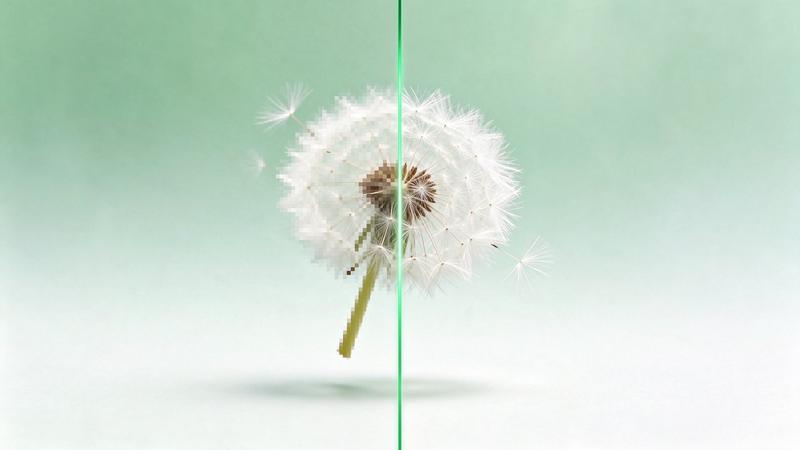
$ YOUR NEXT RUN
 Any agent
Use Topaz Image Upscale Transparent in your assistant
Paste this prompt into Claude Code, Codex, Cursor or any agent. It reads the guide and helps you connect.
Read https://flymy.ai/skill.md and https://flymy.ai/models/topaz-image-upscale-transparent.md. Help me connect the FlyMy.AI MCP to this assistant, then run Topaz Image Upscale Transparent (flymyai/topaz-image-upscale-transparent) for this task: Upscale the transparent PNG logo I attach with Topaz Image Upscale Transparent and keep its transparent background.
What Topaz Image Upscale Transparent does
Send image, a PNG with transparency or a JPEG, up to 50 MB, at most 8,000 pixels a side and 3.125 megapixels in all. It always enlarges 4x on each side and keeps the alpha channel; there is no other factor, model or format choice. Output: image, the upscaled PNG. It is billed by the size of the 4x picture, in started blocks of megapixels. It does not change what the picture shows, remove a background or upscale video.
Topaz Image Upscale Transparent inputs
Every input of flymyai/topaz-image-upscale-transparent as its live schema lists them. Returns image (array).
| Input | Type, values and default |
|---|---|
# image | file required Allowed: image file, as a URL or upload The picture to upscale 4x: a link or an upload, a PNG with transparency (or a JPEG), up to 50 MB, at most 8,000 pixels a side and 3.125 megapixels in all. The price follows its size: $0.08 per started 24 megapixels of the 4x picture (16 times its pixels) |
Ask your agent
Requests to paste as they are, once the FlyMy.AI MCP is connected.
flymyai/topaz-image-upscale-transparentflymyai/topaz-image-upscale-transparentflymyai/topaz-image-upscale-transparentTopaz Image Upscale Transparent price
From $0.08 per run, depending on the size of the picture you send. A 1-megapixel picture costs $0.08. A run at the default settings costs $0.08. A run costs $0.08 to $0.24, depending on image. Billed to your FlyMy.AI balance; no seats, no subscription and no minimum.
Topaz Image Upscale Transparent vs similar models
Popular image editing models beside it, with prices from billing and settings from each live schema.
| Model | Provider | Kind | Price | Default run |
|---|---|---|---|---|
| Topaz Image Upscale Transparent | Topaz Labs | Upscaling | from $0.08 / run | $0.08 |
| MAI-Image 2.7 Edit | Microsoft | Image editing | from $0.0349 / run | $0.0431 |
| SeedVR2 Image Upscale | ByteDance | Upscaling | from $0.001 / run | $0.004 |
| Topaz Image Upscale Precision | Topaz Labs | Upscaling | from $0.08 / run | $0.08 |
Topaz Image Upscale Transparent API
The same model from your own code or from an agent. Send your FlyMy.AI API key in the X-API-KEY header; get a key in your account.
cURL
Form fields, not JSON; files go as uploads or public URLs. The answer is a prediction_id; read the result at https://api.flymy.ai/api/v1/flymyai/topaz-image-upscale-transparent/predict/async/result/?request_id=<prediction_id>.
curl -X POST https://api.flymy.ai/api/v1/flymyai/topaz-image-upscale-transparent/predict/async/ \
  -H "X-API-KEY: $FLYMYAI_API_KEY" \
-F "image=@photo.jpg"Python
The FlyMy.AI SDK sends the same fields; a file input also takes a public URL.
# pip install flymyai
import os

from flymyai import client

fma = client(apikey=os.environ["FLYMYAI_API_KEY"])
task = fma.predict_async_task(
    model="flymyai/topaz-image-upscale-transparent",
    payload={
        "image": "https://example.com/photo.jpg"
    },
)
# a long run: wait for its result (up to 15 minutes here)
result = task.result(timeout=900)
print(result.inference_responses[0].output_data)JavaScript / TypeScript
The FlyMy.AI SDK sends the same fields; a file input also takes a public URL.
// npm install flymyai-js-client
import { FlyMyAI } from "flymyai-js-client";

const client = new FlyMyAI({ apiKey: process.env.FLYMYAI_API_KEY });
const response = await client.predict(
  {
    "image": "https://example.com/photo.jpg"
  },
  "flymyai/topaz-image-upscale-transparent",
);
console.log(response.output_data);MCP
Your agent calls get_model_schema, then run_model with:
{
  "endpoint_id": "flymyai/topaz-image-upscale-transparent",
  "input": {
    "image": "https://example.com/photo.jpg"
  }
}Questions about Topaz Image Upscale Transparent
Do I need a Topaz Labs API key for Topaz Image Upscale Transparent?
No. Topaz Image Upscale Transparent runs on FlyMy.AI's account, so you need no Topaz Labs key or plan: sign in to FlyMy.AI once and each run is billed to your FlyMy.AI balance.
How much does Topaz Image Upscale Transparent cost?
From $0.08 per run, depending on the size of the picture you send. A 1-megapixel picture costs $0.08. There is no subscription or minimum; the price comes from FlyMy.AI billing and was checked on 2026-11-18.
Can I try Topaz Image Upscale Transparent before I write code?
Yes. Open Topaz Image Upscale Transparent in the FlyMy.AI playground at https://app.flymy.ai/models/flymyai/topaz-image-upscale-transparent, fill in its inputs and run it; the same run is one API call later, billed the same way.
How do I use Topaz Image Upscale Transparent in Claude Code, Codex or Cursor?
Add the FlyMy.AI MCP with one command and sign in, then ask in plain words, for example: "Upscale the transparent PNG logo I attach with Topaz Image Upscale Transparent and keep its transparent background." Your agent reads the inputs with get_model_schema and runs flymyai/topaz-image-upscale-transparent with run_model.
What does Topaz Image Upscale Transparent need as input?
Topaz Image Upscale Transparent requires image; it also takes 0 optional inputs, each listed on this page with its allowed values and default.
Can I call Topaz Image Upscale Transparent from my own code?
Yes. Send form fields to https://api.flymy.ai/api/v1/flymyai/topaz-image-upscale-transparent/predict/async/ with your FlyMy.AI API key in the X-API-KEY header.
More image editing models
Change a picture you already have: background, objects, style, text in the frame, its resolution, or turn it into a vector graphic.
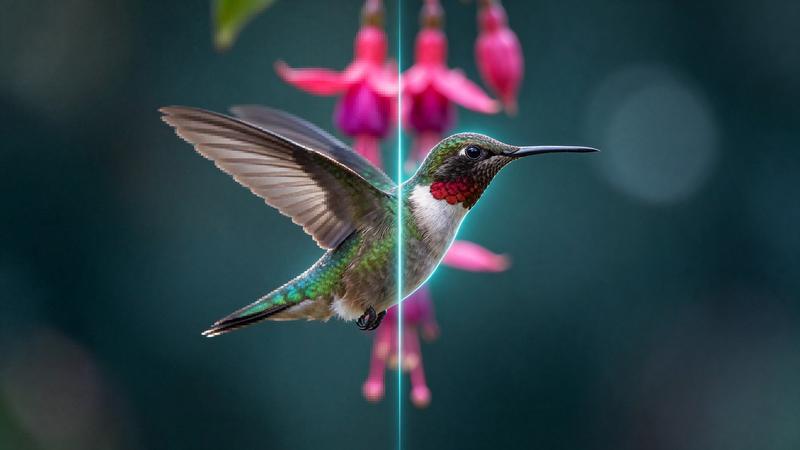
Topaz Image Upscale Precision
Gigapixel-grade enlargement for product shots, portraits and scans that must stay true.
Upscaling / from $0.08 / run
Topaz Image Upscale Creative
Posters, covers and wallpapers from AI art, with new fine detail at a large size.
Upscaling / from $0.08 / run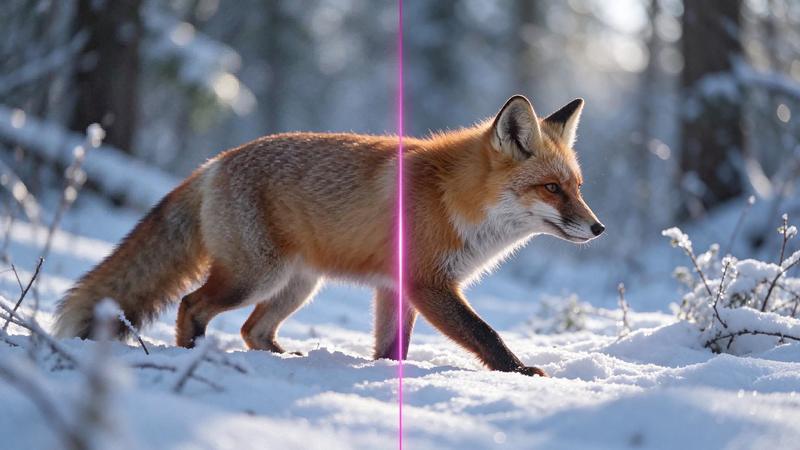
Topaz Image Upscale Generative
Old photos, thumbnails and low-resolution renders rebuilt with new detail.
Upscaling / from $0.08 / run
MAI-Image 2.7 Edit
Microsoft's editor: one to five pictures changed or combined from a plain instruction.
Image editing / from $0.0349 / run
SeedVR2 Image Upscale
Cheap upscales in volume for renders, product photos and screenshots.
Upscaling / from $0.001 / run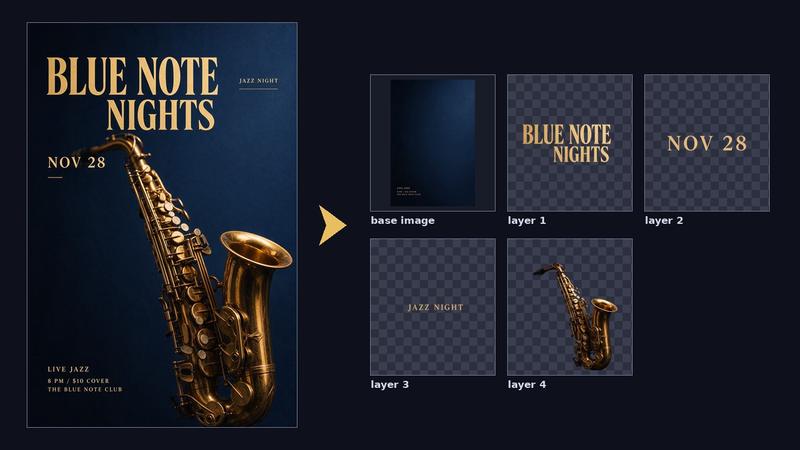
Seedream 5.5 Layers
Seedream 5.5 that takes a poster or banner apart: a base image plus transparent layers with names and boxes.
Image to layers / from $0.02 / imageGo to the source
From the FlyMy.AI model catalog of 2026-11-18: inputs from each model's live schema, prices from FlyMy.AI billing. Requests are examples to paste, not recorded runs.