Models / Image to 3D
Hunyuan 3D 3.1 Pro - API, Playground & Pricing
Tencent Hunyuan 3D 3.1 Pro turns a front photo, and up to seven more views, into a detailed textured 3D model with up to 1.5 million faces. Run it in the playground, call its API, or let Claude Code, Codex or Cursor run it through one FlyMy.AI MCP. No Tencent API key: runs are billed to your FlyMy.AI balance.
- Provider
- Tencent
- Category
- Image to 3D / Image to 3D
- Price
- from $0.375 / run ($0.375 at the defaults)
- Returns
model,preview,seed- Commercial use
- Allowed
- Model ID
flymyai/hunyuan-3d-3_1-pro-image-to-3d

$ YOUR NEXT RUN
 Any agent
Use Hunyuan 3D 3.1 Pro in your assistant
Paste this prompt into Claude Code, Codex, Cursor or any agent. It reads the guide and helps you connect.
Read https://flymy.ai/skill.md and https://flymy.ai/models/hunyuan-3d-3-1-pro-image-to-3d.md. Help me connect the FlyMy.AI MCP to this assistant, then run Hunyuan 3D 3.1 Pro (flymyai/hunyuan-3d-3_1-pro-image-to-3d) for this task: Turn the product photo I attach into a textured 3D model with Hunyuan 3D 3.1 Pro and send me the model file.
What Hunyuan 3D 3.1 Pro does
Send image, the front view, and add back_image, left_image, right_image, top_image, bottom_image, left_front_image and right_front_image for a more faithful back and sides. generate_type Geometry returns a plain white model, enable_pbr adds metallic, roughness and normal maps, and face_count sets the polygon budget from 40,000 to 1,500,000. Outputs: model (GLB), preview and seed. It takes no text and does not rig.
Guide: AI 3D model generator API: Tripo, Meshy and Hunyuan 3D
Hunyuan 3D 3.1 Pro inputs
Every input of flymyai/hunyuan-3d-3_1-pro-image-to-3d as its live schema lists them. Returns model (array), preview (array), seed (string).
| Input | Type, values and default |
|---|---|
# image | file required Allowed: image file, as a URL or upload The front view of the object: a link or an upload (JPG, PNG or WebP, 128-5000 px, up to 8 MB); one object on a simple background, filling more than half of the frame |
# back_image | file optional Allowed: image file, as a URL or upload Optional view of the back; any extra view adds $0.15 once |
# left_image | file optional Allowed: image file, as a URL or upload Optional view of the left side; any extra view adds $0.15 once |
# right_image | file optional Allowed: image file, as a URL or upload Optional view of the right side; any extra view adds $0.15 once |
# top_image | file optional Allowed: image file, as a URL or upload Optional view of the top; any extra view adds $0.15 once |
# bottom_image | file optional Allowed: image file, as a URL or upload Optional view of the bottom; any extra view adds $0.15 once |
# left_front_image | file optional Allowed: image file, as a URL or upload Optional view of the left-front, at 45 degrees; any extra view adds $0.15 once |
# right_front_image | file optional Allowed: image file, as a URL or upload Optional view of the right-front, at 45 degrees; any extra view adds $0.15 once |
# generate_type | string optional Allowed: Normal, Geometry Default: Normal Normal makes a textured model, Geometry a plain white model without textures |
# enable_pbr | boolean optional Default: false Make PBR materials (metallic, roughness, normal maps); +$0.15, ignored for Geometry |
# face_count | integer optional Allowed: 40000 to 1500000 Target number of faces, 40000-1500000; left out the model uses about 500000; setting it adds $0.15 |
Ask your agent
Requests to paste as they are, once the FlyMy.AI MCP is connected.
flymyai/hunyuan-3d-3_1-pro-image-to-3dflymyai/hunyuan-3d-3_1-pro-image-to-3dflymyai/hunyuan-3d-3_1-pro-image-to-3dHunyuan 3D 3.1 Pro price
From $0.375 per run, depending on enable_pbr, back_image, left_image, right_image, top_image, bottom_image, left_front_image, right_front_image and face_count. A run at the default settings costs $0.375. A run costs $0.375 to $0.825, depending on enable_pbr and back_image and left_image and right_image and top_image and bottom_image and left_front_image and right_front_image and face_count. Billed to your FlyMy.AI balance; no seats, no subscription and no minimum.
Hunyuan 3D 3.1 Pro vs similar models
Popular image to 3D models beside it, with prices from billing and settings from each live schema.
| Model | Provider | Kind | Price | Default run | Resolution |
|---|---|---|---|---|---|
| Hunyuan 3D 3.1 Pro | Tencent | Image to 3D | from $0.375 / run | $0.375 | |
| Hi3D v3.0 Image to 3D | Hitem3D | Image to 3D | from $1.80 / run | $2.10 | 2048quality, 2048master |
| Hi3D v3.0 Multiview to 3D | Hitem3D | Multi-view to 3D | from $1.80 / run | $2.10 | 2048quality, 2048master |
| Hunyuan 3D 3.1 Rapid | Tencent | Image to 3D | from $0.225 / run | $0.225 |
Hunyuan 3D 3.1 Pro API
The same model from your own code or from an agent. Send your FlyMy.AI API key in the X-API-KEY header; get a key in your account.
cURL
Form fields, not JSON; files go as uploads or public URLs. The answer is a prediction_id; read the result at https://api.flymy.ai/api/v1/flymyai/hunyuan-3d-3_1-pro-image-to-3d/predict/async/result/?request_id=<prediction_id>.
curl -X POST https://api.flymy.ai/api/v1/flymyai/hunyuan-3d-3_1-pro-image-to-3d/predict/async/ \
  -H "X-API-KEY: $FLYMYAI_API_KEY" \
-F "image=@photo.jpg"Python
The FlyMy.AI SDK sends the same fields; a file input also takes a public URL.
# pip install flymyai
import os

from flymyai import client

fma = client(apikey=os.environ["FLYMYAI_API_KEY"])
task = fma.predict_async_task(
    model="flymyai/hunyuan-3d-3_1-pro-image-to-3d",
    payload={
        "image": "https://example.com/photo.jpg"
    },
)
# a long run: wait for its result (up to 15 minutes here)
result = task.result(timeout=900)
print(result.inference_responses[0].output_data)JavaScript / TypeScript
The FlyMy.AI SDK sends the same fields; a file input also takes a public URL.
// npm install flymyai-js-client
import { FlyMyAI } from "flymyai-js-client";

const client = new FlyMyAI({ apiKey: process.env.FLYMYAI_API_KEY });
const response = await client.predict(
  {
    "image": "https://example.com/photo.jpg"
  },
  "flymyai/hunyuan-3d-3_1-pro-image-to-3d",
);
console.log(response.output_data);MCP
Your agent calls get_model_schema, then run_model with:
{
  "endpoint_id": "flymyai/hunyuan-3d-3_1-pro-image-to-3d",
  "input": {
    "image": "https://example.com/photo.jpg"
  }
}Questions about Hunyuan 3D 3.1 Pro
Do I need a Tencent API key for Hunyuan 3D 3.1 Pro?
No. Hunyuan 3D 3.1 Pro runs on FlyMy.AI's account, so you need no Tencent key or plan: sign in to FlyMy.AI once and each run is billed to your FlyMy.AI balance.
How much does Hunyuan 3D 3.1 Pro cost?
From $0.375 per run, depending on enable_pbr, back_image, left_image, right_image, top_image, bottom_image, left_front_image, right_front_image and face_count. There is no subscription or minimum; the price comes from FlyMy.AI billing and was checked on 2026-11-18.
Can I try Hunyuan 3D 3.1 Pro before I write code?
Yes. Open Hunyuan 3D 3.1 Pro in the FlyMy.AI playground at https://app.flymy.ai/models/flymyai/hunyuan-3d-3_1-pro-image-to-3d, fill in its inputs and run it; the same run is one API call later, billed the same way.
How do I use Hunyuan 3D 3.1 Pro in Claude Code, Codex or Cursor?
Add the FlyMy.AI MCP with one command and sign in, then ask in plain words, for example: "Turn the product photo I attach into a textured 3D model with Hunyuan 3D 3.1 Pro and send me the model file." Your agent reads the inputs with get_model_schema and runs flymyai/hunyuan-3d-3_1-pro-image-to-3d with run_model.
What does Hunyuan 3D 3.1 Pro need as input?
Hunyuan 3D 3.1 Pro requires image; it also takes 10 optional inputs, each listed on this page with its allowed values and default.
Can I call Hunyuan 3D 3.1 Pro from my own code?
Yes. Send form fields to https://api.flymy.ai/api/v1/flymyai/hunyuan-3d-3_1-pro-image-to-3d/predict/async/ with your FlyMy.AI API key in the X-API-KEY header.
More 3D generation models
Turn a photo, several views or a prompt into a textured 3D model, rig a character for animation, give a model new textures, split it into parts or rebuild its mesh.
Hunyuan 3D 3.1 Pro Text to 3D
Tencent's high-detail 3D model from a prompt: up to 1.5 million faces, textured, as a GLB.
Text to 3D / from $0.375 / run
Hunyuan 3D 3.1 Rapid
Quick, low-cost 3D drafts from a photo before you pick the hero asset.
Image to 3D / from $0.225 / run
Hunyuan 3D 3.1 Rapid Text to 3D
Tencent's fast 3D drafts from a short prompt: an OBJ with its material and texture files.
Text to 3D / from $0.225 / run
Hi3D v3.0 Image to 3D
Hitem3D's premium image to 3D: 2048-resolution geometry with textures and PBR maps from one picture.
Image to 3D / from $1.80 / run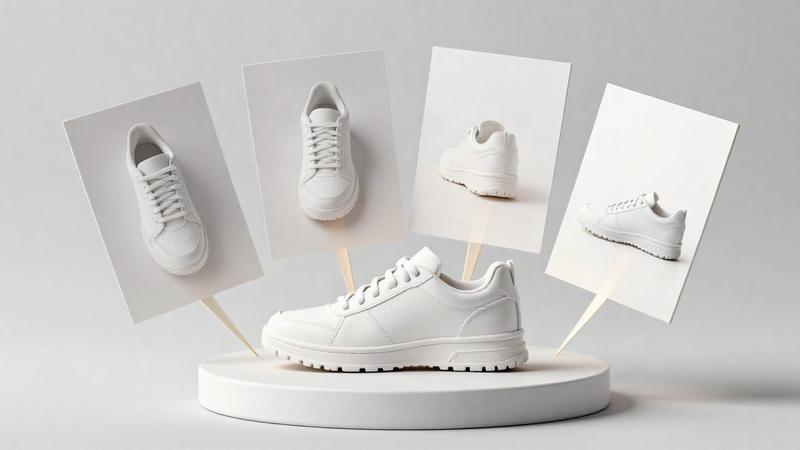
Hi3D v3.0 Multiview to 3D
Hitem3D's premium multi-view to 3D: front, back, left and right pictures in, one detailed model out.
Multi-view to 3D / from $1.80 / run
Hyper3D Rigging
Hyper3D's rigger for humans, animals, birds and dragons, with stock animation clips.
3D rigging / $0.20 / runGo to the source
From the FlyMy.AI model catalog of 2026-11-18: inputs from each model's live schema, prices from FlyMy.AI billing. Requests are examples to paste, not recorded runs.