Models / Text to image
GPT Image 1.5 - API, Playground & Pricing
OpenAI GPT Image 1.5 turns a prompt into an image with strong instruction following, square, landscape or portrait, on an optional transparent background. Run it in the playground, call its API, or let Claude Code, Codex or Cursor run it through one FlyMy.AI MCP. No OpenAI API key: runs are billed to your FlyMy.AI balance.
- Provider
- OpenAI
- Category
- Text to image / Text to image
- Price
- from $0.009 / run ($0.03 at the defaults)
- Sizes
- 3 sizes, up to 1536x1024
- Quality
- high, medium, low
- Returns
image- Commercial use
- Allowed
- Model ID
flymyai/gpt-image-1_5

$ YOUR NEXT RUN
 Any agent
Use GPT Image 1.5 in your assistant
Paste this prompt into Claude Code, Codex, Cursor or any agent. It reads the guide and helps you connect.
Read https://flymy.ai/skill.md and https://flymy.ai/models/gpt-image-1-5.md. Help me connect the FlyMy.AI MCP to this assistant, then run GPT Image 1.5 (flymyai/gpt-image-1_5) for this task: Generate a product photo of a smartwatch on a mossy rock in soft fog with GPT Image 1.5.
What GPT Image 1.5 does
GPT Image 1.5 is an earlier OpenAI image model, kept for work that depends on it; GPT Image 2.6 is the current one. Choose quality (low, medium or high), size (1024x1024, 1536x1024, 1024x1536 or auto), background (transparent, opaque or auto) and moderation (low or auto). It generates new images only and does not edit a supplied picture.
GPT Image 1.5 inputs
Every input of flymyai/gpt-image-1_5 as its live schema lists them. Returns image (array).
Ask your agent
Requests to paste as they are, once the FlyMy.AI MCP is connected.
flymyai/gpt-image-1_5flymyai/gpt-image-1_5flymyai/gpt-image-1_5GPT Image 1.5 price
From $0.009 per run, depending on quality and size. A run at the default settings costs $0.03. A run costs $0.009 to $0.20, depending on quality and size. Billed to your FlyMy.AI balance; no seats, no subscription and no minimum.
GPT Image 1.5 vs similar models
Popular text to image models beside it, with prices from billing and settings from each live schema.
| Model | Provider | Kind | Price | Default run | Sizes | Quality |
|---|---|---|---|---|---|---|
| GPT Image 1.5 | OpenAI | Text to image | from $0.009 / run | $0.03 | 3 sizes, up to 1536x1024 | high, medium, low |
| Nano Banana 2.1 | Text and image to image | from $0.0336 / image | $0.0336 | |||
| Seedream 5.0 Pro | ByteDance | Text and image to image | from $0.045 / run | $0.09 | 11 sizes, up to 2048x2048 | |
| GPT Image 2.6 | OpenAI | Text to image | from $0.009 / run | $0.032 | 3 sizes, up to 1536x1024 | high, medium, low |
GPT Image 1.5 API
The same model from your own code or from an agent. Send your FlyMy.AI API key in the X-API-KEY header; get a key in your account.
cURL
Form fields, not JSON; files go as uploads or public URLs. The answer is a prediction_id; read the result at https://api.flymy.ai/api/v1/flymyai/gpt-image-1_5/predict/async/result/?request_id=<prediction_id>.
curl -X POST https://api.flymy.ai/api/v1/flymyai/gpt-image-1_5/predict/async/ \
  -H "X-API-KEY: $FLYMYAI_API_KEY" \
-F 'prompt=A ceramic mug on a sunlit kitchen counter, product photo'Python
The FlyMy.AI SDK sends the same fields; a file input also takes a public URL.
# pip install flymyai
import os

from flymyai import client

fma = client(apikey=os.environ["FLYMYAI_API_KEY"])
response = fma.predict(
    model="flymyai/gpt-image-1_5",
    payload={
        "prompt": "A ceramic mug on a sunlit kitchen counter, product photo"
    },
)
print(response.output_data)JavaScript / TypeScript
The FlyMy.AI SDK sends the same fields; a file input also takes a public URL.
// npm install flymyai-js-client
import { FlyMyAI } from "flymyai-js-client";

const client = new FlyMyAI({ apiKey: process.env.FLYMYAI_API_KEY });
const response = await client.predict(
  {
    "prompt": "A ceramic mug on a sunlit kitchen counter, product photo"
  },
  "flymyai/gpt-image-1_5",
);
console.log(response.output_data);MCP
Your agent calls get_model_schema, then run_model with:
{
  "endpoint_id": "flymyai/gpt-image-1_5",
  "input": {
    "prompt": "A ceramic mug on a sunlit kitchen counter, product photo"
  }
}Questions about GPT Image 1.5
Do I need an OpenAI API key for GPT Image 1.5?
No. GPT Image 1.5 runs on FlyMy.AI's account, so you need no OpenAI key or plan: sign in to FlyMy.AI once and each run is billed to your FlyMy.AI balance.
How much does GPT Image 1.5 cost?
From $0.009 per run, depending on quality and size. There is no subscription or minimum; the price comes from FlyMy.AI billing and was checked on 2026-11-18.
Can I try GPT Image 1.5 before I write code?
Yes. Open GPT Image 1.5 in the FlyMy.AI playground at https://app.flymy.ai/models/flymyai/gpt-image-1_5, fill in its inputs and run it; the same run is one API call later, billed the same way.
How do I use GPT Image 1.5 in Claude Code, Codex or Cursor?
Add the FlyMy.AI MCP with one command and sign in, then ask in plain words, for example: "Generate a product photo of a smartwatch on a mossy rock in soft fog with GPT Image 1.5." Your agent reads the inputs with get_model_schema and runs flymyai/gpt-image-1_5 with run_model.
What does GPT Image 1.5 need as input?
GPT Image 1.5 requires prompt; it also takes 4 optional inputs, each listed on this page with its allowed values and default.
Can I call GPT Image 1.5 from my own code?
Yes. Send form fields to https://api.flymy.ai/api/v1/flymyai/gpt-image-1_5/predict/async/ with your FlyMy.AI API key in the X-API-KEY header.
More image generation models
Text to image: product shots, ads, posters, illustrations and editable vector graphics from a prompt, many with reference images.

GPT Image 2.6
OpenAI's current default image model: faster than 2.5, with text that stays readable.
Text to image / from $0.009 / run
GPT Image 2.5
The 2.5 Flare tier: natural light and sharper detail than 2.0 at a short generation time.
Text to image / from $0.009 / run
GPT Image 2.0
OpenAI's 2.0 generator for pipelines tuned to it, with three sizes and transparent output.
Text to image / from $0.009 / run
GPT Image 2.6 Sunburst
The precision tier of 2.6 for packaging, campaigns and detailed illustration.
Text to image / from $0.009 / run
GPT Image 2.5 Sunburst
The slower, more exact 2.5 tier for campaign and product imagery where detail matters.
Text to image / from $0.009 / run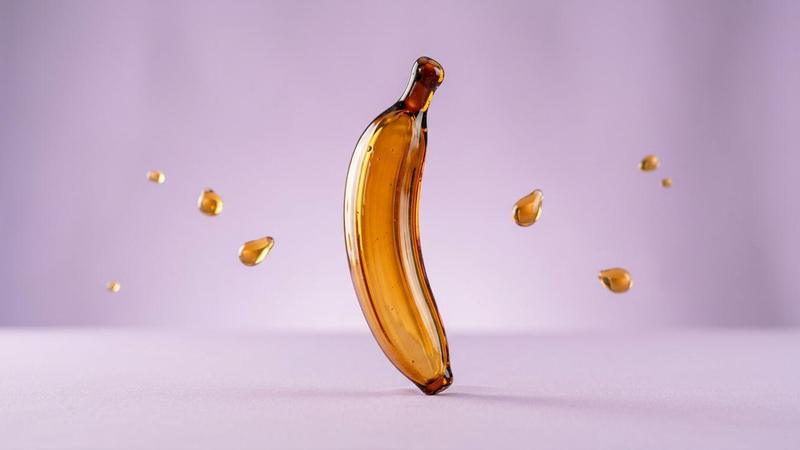
Nano Banana 2.1
Gemini's newest image model: 14 references, up to 4K, with adjustable thinking.
Text and image to image / from $0.0336 / imageGo to the source
From the FlyMy.AI model catalog of 2026-11-18: inputs from each model's live schema, prices from FlyMy.AI billing. Requests are examples to paste, not recorded runs.