MCP / Models / 3D generation
Tripo Segment MCP: split a 3D model into parts
Tripo Segment splits a 3D model into meaningful parts you can edit, texture or rig separately, and returns the part names. Run it from Claude Code, Codex, Cursor or any MCP client through one FlyMy.AI MCP, or call its API.

$ YOUR NEXT RUN
 Any agent
Use Tripo Segment in your assistant
Paste this prompt into Claude Code, Codex, Cursor or any agent. It reads the guide and helps you connect.
Read https://flymy.ai/skill.md and https://flymy.ai/mcp/models/tripo-segment.md. Help me connect the FlyMy.AI MCP to this assistant, then run Tripo Segment (flymyai/tripo-segment) for this task: Split the 3D model I attach into its parts with Tripo Segment and send me the part names.
What Tripo Segment does
Send model, a GLB, OBJ, FBX or STL file of up to 150 MB, as a link or an upload; it has no other settings. It splits the model into parts automatically, so that each part can be edited, textured, rigged or retopologized on its own. Outputs: model, the segmented 3D file as a GLB or FBX (as Tripo makes it), preview, a render of it, and part_names, the names of the parts when Tripo reports them, which Tripo Remesh takes to keep the parts separate.
It is billed by what the run uses, and the price shown is what your balance is held for first. It splits one model per request and does not make, texture or rig a model.
Tripo Segment inputs
Every input of flymyai/tripo-segment as its live schema lists them. Returns model (array), preview (array), part_names (string).
| Input | Type, values and default |
|---|---|
# model | string required The 3D model to split into parts: a link or an upload of a GLB, OBJ, FBX or STL file, up to 150 MB |
Ask your agent
Requests to paste as they are, once the FlyMy.AI MCP is connected.
flymyai/tripo-segmentflymyai/tripo-segmentflymyai/tripo-segmentTripo Segment price
$0.40 per run. A run at the default settings costs $0.40. Billed to your FlyMy.AI balance; no seats, no subscription and no minimum.
Call Tripo Segment from code
The same model, from an agent or from your own code. Keys stay in your FlyMy.AI account.
From an agent, through the MCP
The agent calls get_model_schema, then run_model with:
{
  "endpoint_id": "flymyai/tripo-segment",
  "input": {
    "model": "https://example.com/model.glb"
  }
}
From your code, over HTTP
Form fields, not JSON; files go as uploads or public URLs. The answer is a prediction_id; read the result at https://api.flymy.ai/api/v1/flymyai/tripo-segment/predict/async/result/?request_id=<prediction_id>.
curl -X POST https://api.flymy.ai/api/v1/flymyai/tripo-segment/predict/async/ \
  -H "X-API-KEY: $FLYMYAI_API_KEY" \
  -F 'model=https://example.com/model.glb'
Questions about Tripo Segment
Do I need a Tripo AI API key for Tripo Segment?
No. Tripo Segment runs on FlyMy.AI's account, so you need no Tripo AI key or plan: sign in to FlyMy.AI once and each run is billed to your FlyMy.AI balance.
How much does Tripo Segment cost?
$0.40 per run. There is no subscription or minimum; the price comes from FlyMy.AI billing and was checked on 2026-11-18.
How do I use Tripo Segment in Claude Code, Codex or Cursor?
Add the FlyMy.AI MCP with one command and sign in, then ask in plain words, for example: "Split the 3D model I attach into its parts with Tripo Segment and send me the part names." Your agent reads the inputs with get_model_schema and runs flymyai/tripo-segment with run_model.
What does Tripo Segment need as input?
Tripo Segment requires model; it also takes 0 optional inputs, each listed on this page with its allowed values and default.
Can I call Tripo Segment from my own code?
Yes. Send form fields to https://api.flymy.ai/api/v1/flymyai/tripo-segment/predict/async/ with your FlyMy.AI API key in the X-API-KEY header.
More 3D generation models
Turn a photo, several views or a prompt into a textured 3D model, rig a character for animation, give a model new textures, split it into parts or rebuild its mesh.
Tripo H3.1 Image to 3D
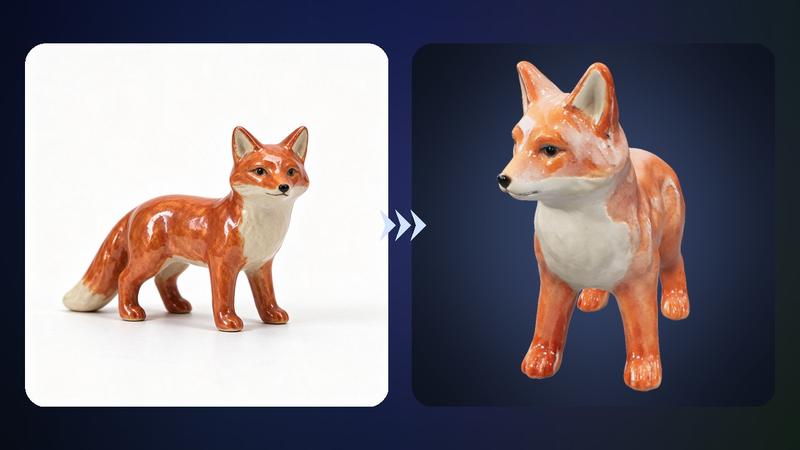
Tripo's flagship image to 3D: one photo in, a textured GLB with PBR materials out.
Image to 3D / from $0.20 / run
Tripo H3.1 Multiview to 3D
Front, side and back photos in, one Tripo H3.1 model whose hidden sides come from real views.
Multi-view to 3D / from $0.20 / run
Tripo H3.1 Text to 3D
Describe one object in words and get a textured 3D model from Tripo's flagship.
Text to 3D / from $0.10 / run
Tripo P2 Image to 3D
Low-poly game assets from a photo, with an exact face budget and native quads.
Image to 3D / from $1.00 / run
Tripo P2 Text to 3D
A low-poly game asset from a sentence, with a face budget and quad topology on request.
Text to 3D / from $1.00 / run
Tripo Remesh
Retopology in one call: a clean mesh with the face count you choose, as quads if you need them.
3D remeshing / $0.40 / runGo to the source
From the FlyMy.AI model catalog of 2026-11-18: inputs from the model's live schema, prices from FlyMy.AI billing. Requests are examples to paste, not recorded runs.