MCP / Models / Reference video, editing and lip sync
Sync Lipsync 3 MCP: re-sync lips to a new speech track
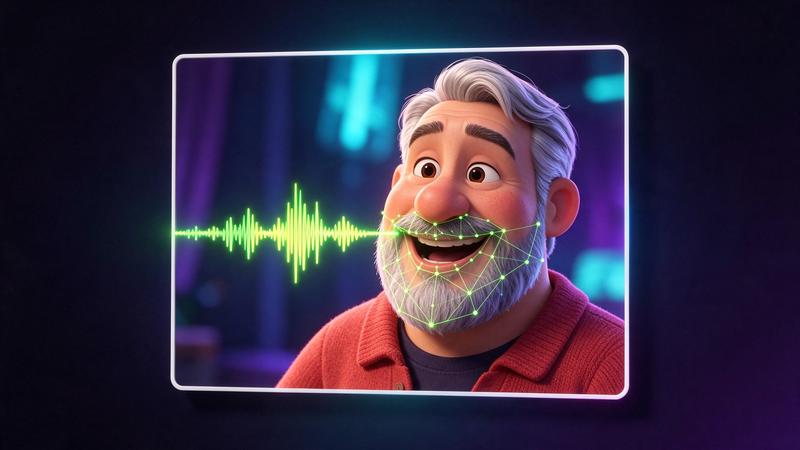
sync-3 by sync. labs redraws the mouth of the person in your video to match a new speech track, for dubbing or a corrected line, at up to 4K. Run it from Claude Code, Codex, Cursor or any MCP client through one FlyMy.AI MCP, or call its API.
$ YOUR NEXT RUN
 Any agent
Use Sync Lipsync 3 in your assistant
Paste this prompt into Claude Code, Codex, Cursor or any agent. It reads the guide and helps you connect.
Read https://flymy.ai/skill.md and https://flymy.ai/mcp/models/sync-3-lipsync.md. Help me connect the FlyMy.AI MCP to this assistant, then run Sync Lipsync 3 (flymyai/sync-3-lipsync) for this task: Sync the lips in my video to this voice-over with Sync Lipsync 3.
What Sync Lipsync 3 does
Send video, an MP4 or MOV of 1 to 30 seconds, up to 4096x2160 and 30 frames per second (a fragmented MP4 is refused), and audio, a WAV, MP3 or M4A file of 1 to 30 seconds. sync_mode decides what happens when their lengths differ: cut_off (the default) ends both at the shorter, loop and bounce repeat the video, remap changes its speed and silence pads the audio. Output: video, the lip-synced MP4 in your video's size. It is billed by the seconds of the result, rounded up, whatever the frame rate; a run takes about 10 to 15 minutes. It does not make or translate the speech or animate a still picture. Re-voice a real person's video only with their consent.
Sync Lipsync 3 inputs
Every input of flymyai/sync-3-lipsync as its live schema lists them. Returns video (array).
| Input | Type, values and default |
|---|---|
# video | file required Allowed: video file, as a URL or upload The video of the person speaking: an MP4 or MOV file of 1 to 30 seconds, up to 4096x2160 and 30 frames per second, a link or an upload; a fragmented MP4 is refused. $8 a minute of the result, in whole seconds rounded up |
# audio | file required Allowed: audio file, as a URL or upload The new speech: a WAV, MP3 or M4A file of 1 to 30 seconds, a link or an upload. With loop, bounce or remap the result is as long as the audio |
# sync_mode | string optional Allowed: cut_off, loop, bounce, silence, remap Default: cut_off When the lengths differ: cut_off ends at the shorter file, loop or bounce repeat the video to the audio's end, remap retimes the video to the audio, silence keeps the whole video; the result's length is what you pay for |
Ask your agent
Requests to paste as they are, once the FlyMy.AI MCP is connected.
flymyai/sync-3-lipsyncflymyai/sync-3-lipsyncflymyai/sync-3-lipsyncSync Lipsync 3 price
From $0.133333 per run, depending on the length of the video you send, the length of the audio you send and sync_mode. A 10-second video and a 10-second clip cost $1.333333 with the default settings. A run at the default settings costs about $1.33. A run costs $0.133 to $4.00, depending on video and audio and sync_mode. Billed to your FlyMy.AI balance; no seats, no subscription and no minimum.
Call Sync Lipsync 3 from code
The same model, from an agent or from your own code. Keys stay in your FlyMy.AI account.
From an agent, through the MCP
The agent calls get_model_schema, then run_model with:
{
  "endpoint_id": "flymyai/sync-3-lipsync",
  "input": {
    "video": "https://example.com/clip.mp4",
    "audio": "https://example.com/voice.mp3"
  }
}
From your code, over HTTP
Form fields, not JSON; files go as uploads or public URLs. The answer is a prediction_id; read the result at https://api.flymy.ai/api/v1/flymyai/sync-3-lipsync/predict/async/result/?request_id=<prediction_id>.
curl -X POST https://api.flymy.ai/api/v1/flymyai/sync-3-lipsync/predict/async/ \
  -H "X-API-KEY: $FLYMYAI_API_KEY" \
  -F "video=@clip.mp4" \
  -F "audio=@voice.mp3"
Questions about Sync Lipsync 3
Do I need a sync. labs API key for Sync Lipsync 3?
No. Sync Lipsync 3 runs on FlyMy.AI's account, so you need no sync. labs key or plan: sign in to FlyMy.AI once and each run is billed to your FlyMy.AI balance.
How much does Sync Lipsync 3 cost?
From $0.133333 per run, depending on the length of the video you send, the length of the audio you send and sync_mode. A 10-second video and a 10-second clip cost $1.333333 with the default settings. There is no subscription or minimum; the price comes from FlyMy.AI billing and was checked on 2026-11-18.
How do I use Sync Lipsync 3 in Claude Code, Codex or Cursor?
Add the FlyMy.AI MCP with one command and sign in, then ask in plain words, for example: "Sync the lips in my video to this voice-over with Sync Lipsync 3." Your agent reads the inputs with get_model_schema and runs flymyai/sync-3-lipsync with run_model.
What does Sync Lipsync 3 need as input?
Sync Lipsync 3 requires video and audio; it also takes 1 optional input, each listed on this page with its allowed values and default.
Can I call Sync Lipsync 3 from my own code?
Yes. Send form fields to https://api.flymy.ai/api/v1/flymyai/sync-3-lipsync/predict/async/ with your FlyMy.AI API key in the X-API-KEY header.
More reference video, editing and lip sync models
Keep characters and products from references, edit, extend, reframe or upscale a clip, dub it into another language, sync lips to a voice, make a photo talk or time a video to your audio.
Sync Lipsync 3 Image to Video
Give a portrait, a mascot or a drawn character a voice from your audio track.
Talking video / $0.133333 / s
ByteDance Video Upscaler
Target-resolution upscaling to 8K with presets for AI clips, user video and old film.
Video upscaling / from $0.0072 / s
FLUX 3 Video Extend
FLUX 3 Video that picks up where your clip ends and carries on its motion, camera and scene.
Video extension / from $0.21 / s
Gemini Omni 1.2 Flash Video Upscale
Google's own upscaler for Gemini Omni clips: take a draft to 1080p or 4K and keep its sound.
Video upscaling / from $0.035 / s
HeyGen Avatar 6
HeyGen's avatar model: one photo and a voice recording become a presenter video.
Talking video / from $0.10 / s
HeyGen Avatar 6 Turbo
Talking-head videos in volume: a photo and a speech track at Avatar 6's lower tier.
Talking video / from $0.05 / sGo to the source
From the FlyMy.AI model catalog of 2026-11-18: inputs from the model's live schema, prices from FlyMy.AI billing. Requests are examples to paste, not recorded runs.