MCP / Models / Reference video, editing and lip sync
MiniMax H3 Max Video Reframe MCP: reframe and keep the sound
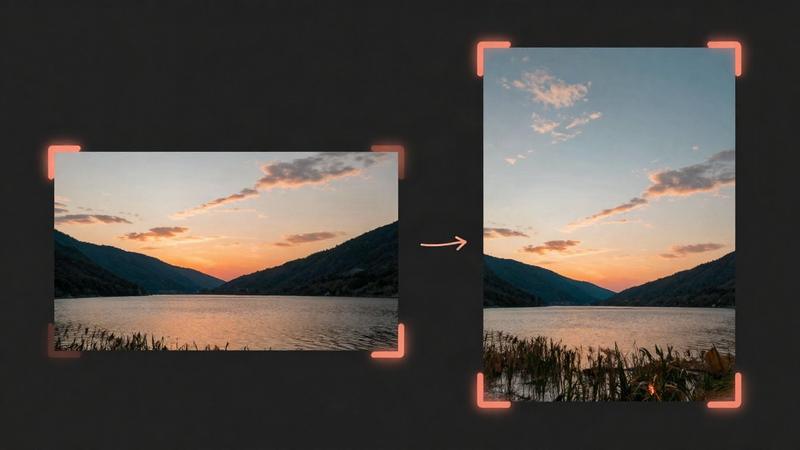
MiniMax H3 Max Reframe changes the aspect ratio of your video (9:16, 16:9, 1:1 and more) and paints in the new edges, keeping its timing and sound. Run it from Claude Code, Codex, Cursor or any MCP client through one FlyMy.AI MCP, or call its API.
$ YOUR NEXT RUN
 Any agent
Use MiniMax H3 Max Video Reframe in your assistant
Paste this prompt into Claude Code, Codex, Cursor or any agent. It reads the guide and helps you connect.
Read https://flymy.ai/skill.md and https://flymy.ai/mcp/models/minimax-h3-max-reframe-video.md. Help me connect the FlyMy.AI MCP to this assistant, then run MiniMax H3 Max Video Reframe (flymyai/minimax-h3-max-reframe-video) for this task: Turn my 16:9 product video into a 9:16 vertical clip with MiniMax H3 Max Video Reframe for Reels and Shorts.
What MiniMax H3 Max Video Reframe does
Send video, an MP4 or MOV file of 2 to 30 seconds, as a link or an upload (a fragmented MP4 is refused). It fits your video onto the new canvas and generates the surroundings (outpainting), keeping the timeline and the sound; the generated picture is not guaranteed to keep your pixels exactly. aspect_ratio picks the canvas: 16:9 (the default), 9:16, 1:1, 4:3, 3:4, 21:9 or 9:21. resolution is 480p, 768p (the default) or 1080p, and prompt optionally guides what appears around your video. Outputs: video, the reframed MP4, expanded_prompt and seed. Use it to turn a horizontal video into a vertical one for social platforms, or the other way round, to widen a clip to 21:9 or to make a square version.
It is billed by the seconds of the video you send, rounded up, more at a higher resolution, and what the run generates is billed: a longer or larger video is processed in overlapping windows whose overlap is billed too, so what the run costs can exceed the video's length. For a video over 15 seconds twice its length is held first, and you are charged what the run was billed. One request takes up to 30 seconds of video: split a longer one. It does not change the content or the length of your video, add sound or make a video from text or a picture.
MiniMax H3 Max Video Reframe inputs
Every input of flymyai/minimax-h3-max-reframe-video as its live schema lists them. Returns video (array), expanded_prompt (string), seed (string).
| Input | Type, values and default |
|---|---|
# video | file required Allowed: video file, as a URL or upload The video to reframe: an MP4 or MOV file of 2 to 30 seconds, a link or an upload; a fragmented MP4 is refused. Its timeline and sound are kept. The price follows its length: $0.05 a second at 480p, $0.08 at 768p, $0.16 at 1080p, in whole seconds rounded up; over 15 seconds twice that is held while the video is made and you are charged what the run was billed |
# aspect_ratio | string optional Allowed: 16:9, 9:16, 1:1, 4:3, 3:4, 21:9, 9:21 Default: 16:9 The new canvas: 16:9, 9:16, 1:1, 4:3, 3:4, 21:9 or 9:21. Your video is fitted onto it and the rest is generated |
# resolution | string optional Allowed: 480p, 768p, 1080p Default: 768p Size of the new canvas: 480p ($0.05 a second of video), 768p ($0.08) or 1080p ($0.16, refined from a native 768p reframe) |
# prompt | string optional Optional: what the new surroundings should look like (your video is described automatically) |
# seed | integer optional Allowed: 0 to 2147483647 Seed for the generation; a random one is used when you leave it out |
Ask your agent
Requests to paste as they are, once the FlyMy.AI MCP is connected.
flymyai/minimax-h3-max-reframe-videoflymyai/minimax-h3-max-reframe-videoflymyai/minimax-h3-max-reframe-videoMiniMax H3 Max Video Reframe price
From $0.05 per second of the video you send, rounded up, depending on resolution. A 5-second video costs $0.40 with the default settings. A run at the default settings costs $0.40. A run costs $0.10 to $9.60, depending on video and resolution. Billed to your FlyMy.AI balance; no seats, no subscription and no minimum.
| Setting | Price |
|---|---|
| resolution 480p | $0.05 per second |
| resolution 768p | $0.08 per second |
| resolution 1080p | $0.16 per second |
Call MiniMax H3 Max Video Reframe from code
The same model, from an agent or from your own code. Keys stay in your FlyMy.AI account.
From an agent, through the MCP
The agent calls get_model_schema, then run_model with:
{
  "endpoint_id": "flymyai/minimax-h3-max-reframe-video",
  "input": {
    "prompt": "Continue the street scene naturally on both sides of the frame",
    "video": "https://example.com/clip.mp4"
  }
}
From your code, over HTTP
Form fields, not JSON; files go as uploads or public URLs. The answer is a prediction_id; read the result at https://api.flymy.ai/api/v1/flymyai/minimax-h3-max-reframe-video/predict/async/result/?request_id=<prediction_id>.
curl -X POST https://api.flymy.ai/api/v1/flymyai/minimax-h3-max-reframe-video/predict/async/ \
  -H "X-API-KEY: $FLYMYAI_API_KEY" \
  -F 'prompt=Continue the street scene naturally on both sides of the frame' \
  -F "video=@clip.mp4"
Questions about MiniMax H3 Max Video Reframe
Do I need a MiniMax API key for MiniMax H3 Max Video Reframe?
No. MiniMax H3 Max Video Reframe runs on FlyMy.AI's account, so you need no MiniMax key or plan: sign in to FlyMy.AI once and each run is billed to your FlyMy.AI balance.
How much does MiniMax H3 Max Video Reframe cost?
From $0.05 per second of the video you send, rounded up, depending on resolution. A 5-second video costs $0.40 with the default settings. There is no subscription or minimum; the price comes from FlyMy.AI billing and was checked on 2026-11-18.
How do I use MiniMax H3 Max Video Reframe in Claude Code, Codex or Cursor?
Add the FlyMy.AI MCP with one command and sign in, then ask in plain words, for example: "Turn my 16:9 product video into a 9:16 vertical clip with MiniMax H3 Max Video Reframe for Reels and Shorts." Your agent reads the inputs with get_model_schema and runs flymyai/minimax-h3-max-reframe-video with run_model.
What does MiniMax H3 Max Video Reframe need as input?
MiniMax H3 Max Video Reframe requires video; it also takes 4 optional inputs, each listed on this page with its allowed values and default.
Can I call MiniMax H3 Max Video Reframe from my own code?
Yes. Send form fields to https://api.flymy.ai/api/v1/flymyai/minimax-h3-max-reframe-video/predict/async/ with your FlyMy.AI API key in the X-API-KEY header.
More reference video, editing and lip sync models
Keep characters and products from references, edit, extend, reframe or upscale a clip, dub it into another language, sync lips to a voice, make a photo talk or time a video to your audio.
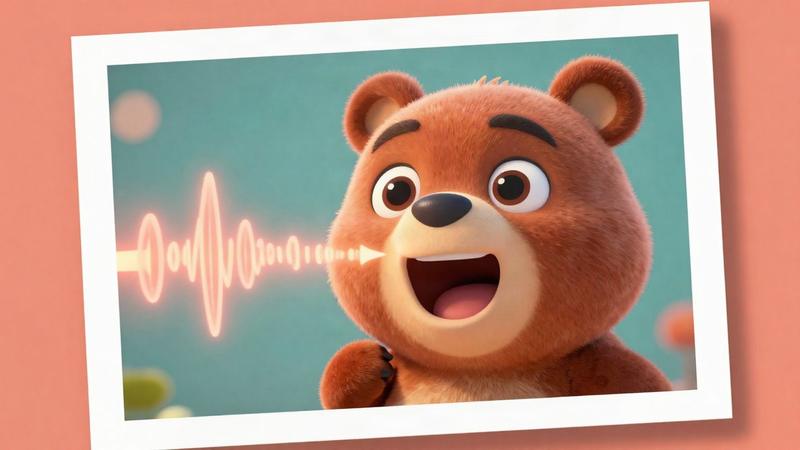
MiniMax H3 Max Lip Sync
MiniMax's talking-picture model: a photo or a character and an audio track become a speaking video.
Talking video / from $0.05 / s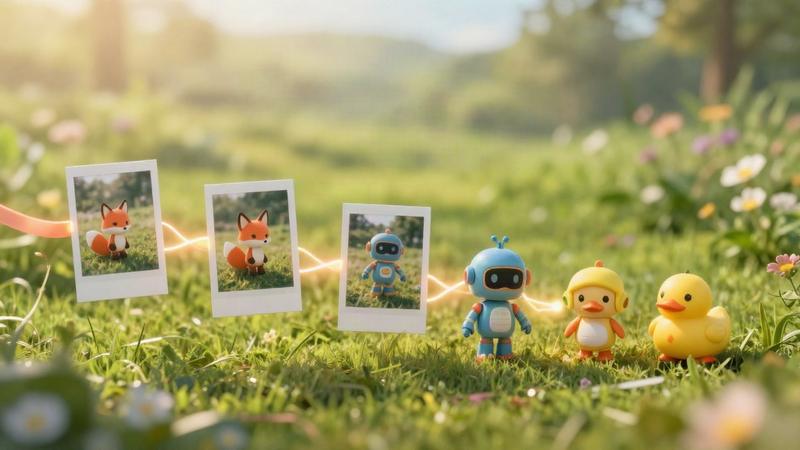
MiniMax H3 Max Reference to Video
Characters, products and places from up to nine pictures, kept consistent in a clip of up to 15 seconds.
Reference to video / from $0.05 / s
MiniMax H3 Max Turbo Video Extend
Lengthen a clip or try another ending: describe what happens next and get up to 15 more seconds.
Video extension / from $0.025 / s
ByteDance Video Upscaler
Target-resolution upscaling to 8K with presets for AI clips, user video and old film.
Video upscaling / from $0.0072 / s
FLUX 3 Video Extend
FLUX 3 Video that picks up where your clip ends and carries on its motion, camera and scene.
Video extension / from $0.21 / s
Gemini Omni 1.2 Flash Video Upscale
Google's own upscaler for Gemini Omni clips: take a draft to 1080p or 4K and keep its sound.
Video upscaling / from $0.035 / sGo to the source
From the FlyMy.AI model catalog of 2026-11-18: inputs from the model's live schema, prices from FlyMy.AI billing. Requests are examples to paste, not recorded runs.