MCP / Models / Image to video
Kling 4.0 Image to Video MCP: photo and keyframes to video
Kling 4.0 animates your picture into a 3 to 30 second clip with stereo sound, through an optional last frame and up to eight keyframes. Run it from Claude Code, Codex, Cursor or any MCP client through one FlyMy.AI MCP, or call its API.

$ YOUR NEXT RUN
 Any agent
Use Kling 4.0 Image to Video in your assistant
Paste this prompt into Claude Code, Codex, Cursor or any agent. It reads the guide and helps you connect.
Read https://flymy.ai/skill.md and https://flymy.ai/mcp/models/kling-4-0-image-to-video.md. Help me connect the FlyMy.AI MCP to this assistant, then run Kling 4.0 Image to Video (flymyai/kling-4_0-image-to-video) for this task: Animate the photo I attach with Kling 4.0 Image to Video: city lights come on as dusk falls at 1080p.
What Kling 4.0 Image to Video does
Send image, which becomes the first frame, and optionally end_image_url for the last frame and up to eight middle_image_urls as keyframes in between; the clip passes through each in order. prompt is optional, up to 26,000 characters; without one the model animates the frames as they are. duration runs from 3 to 30 seconds and resolution is 720p or 1080p; it takes no aspect_ratio. Each picture needs at least 300 pixels a side, at most 30 MB and an aspect ratio from 0.4 to 2.5. Output: video with stereo sound. It takes no reference videos, elements or voices, renders no 4K and does not edit or extend a video.
Kling 4.0 Image to Video inputs
Every input of flymyai/kling-4_0-image-to-video as its live schema lists them. Returns video (array).
| Input | Type, values and default |
|---|---|
# image | file required Allowed: image file, as a URL or upload The first frame: a link or an upload, at least 300 pixels a side, up to 30 MB, aspect ratio 0.4-2.5 |
# prompt | string optional Describe the motion, the action, the camera and the sound (optional) |
# end_image_url | file optional Allowed: image file, as a URL or upload Optional last frame: the clip ends on this picture |
# middle_image_urls | string optional Optional keyframes between the first and the last frame, in order, up to 8 |
# duration | integer optional Allowed: 3 to 30 Default: 5 Length of the clip in seconds, 3-30; the price is per second |
# resolution | string optional Allowed: 720p, 1080p Default: 1080p 720p ($0.157 a second) or 1080p ($0.235 a second) |
Ask your agent
Requests to paste as they are, once the FlyMy.AI MCP is connected.
flymyai/kling-4_0-image-to-videoflymyai/kling-4_0-image-to-videoflymyai/kling-4_0-image-to-videoKling 4.0 Image to Video price
From $0.157 per second of duration, depending on resolution. A run at the default settings costs about $1.18. A run costs $0.471 to $7.05, depending on duration and resolution. Billed to your FlyMy.AI balance; no seats, no subscription and no minimum.
| Setting | Price |
|---|---|
| resolution 720p | $0.157 per second |
| resolution 1080p | $0.235 per second |
Call Kling 4.0 Image to Video from code
The same model, from an agent or from your own code. Keys stay in your FlyMy.AI account.
From an agent, through the MCP
The agent calls get_model_schema, then run_model with:
{
  "endpoint_id": "flymyai/kling-4_0-image-to-video",
  "input": {
    "prompt": "Slow camera push-in with gentle, natural motion in the scene",
    "image": "https://example.com/photo.jpg"
  }
}
From your code, over HTTP
Form fields, not JSON; files go as uploads or public URLs. The answer is a prediction_id; read the result at https://api.flymy.ai/api/v1/flymyai/kling-4_0-image-to-video/predict/async/result/?request_id=<prediction_id>.
curl -X POST https://api.flymy.ai/api/v1/flymyai/kling-4_0-image-to-video/predict/async/ \
  -H "X-API-KEY: $FLYMYAI_API_KEY" \
  -F 'prompt=Slow camera push-in with gentle, natural motion in the scene' \
  -F "image=@photo.jpg"
Questions about Kling 4.0 Image to Video
Do I need a Kuaishou API key for Kling 4.0 Image to Video?
No. Kling 4.0 Image to Video runs on FlyMy.AI's account, so you need no Kuaishou key or plan: sign in to FlyMy.AI once and each run is billed to your FlyMy.AI balance.
How much does Kling 4.0 Image to Video cost?
From $0.157 per second of duration, depending on resolution. There is no subscription or minimum; the price comes from FlyMy.AI billing and was checked on 2026-11-18.
How do I use Kling 4.0 Image to Video in Claude Code, Codex or Cursor?
Add the FlyMy.AI MCP with one command and sign in, then ask in plain words, for example: "Animate the photo I attach with Kling 4.0 Image to Video: city lights come on as dusk falls at 1080p." Your agent reads the inputs with get_model_schema and runs flymyai/kling-4_0-image-to-video with run_model.
What does Kling 4.0 Image to Video need as input?
Kling 4.0 Image to Video requires image; it also takes 5 optional inputs, each listed on this page with its allowed values and default.
Can I call Kling 4.0 Image to Video from my own code?
Yes. Send form fields to https://api.flymy.ai/api/v1/flymyai/kling-4_0-image-to-video/predict/async/ with your FlyMy.AI API key in the X-API-KEY header.
More image to video models
Animate a photo, or move from a first frame to a last one.
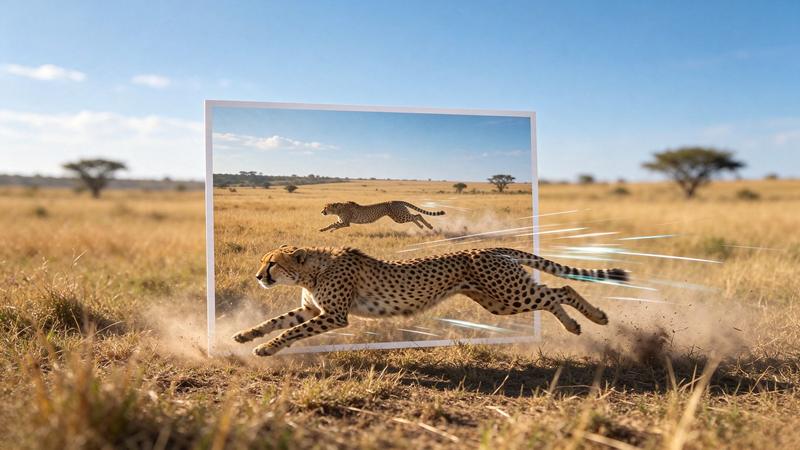
Kling 4.0 Flash Image to Video
A fast 720p Kling 4.0 clip from your picture, up to 20 seconds, sound included.
Image to video / $0.094 / s
Kling 3.0 Image to Video
Kuaishou's Kling 3.0 from a frame: identity kept, masks for motion, native audio.
Image to video / $0.084 / s
FLUX 3 Max Image to Video
A FLUX 3 Max clip that starts on your photo, optionally ending on a second one.
Image to video / from $0.17 / s
FLUX 3 Video Image to Video
FLUX 3 Video from your pictures: one image starts the clip, two set its ends, up to ten storyboard it.
Image to video / from $0.15 / s
HeyGen Video 1 Image to Video
A photo becomes the opening frame of a clip with sound, up to 30 seconds at 2K.
Image to video / from $0.02 / s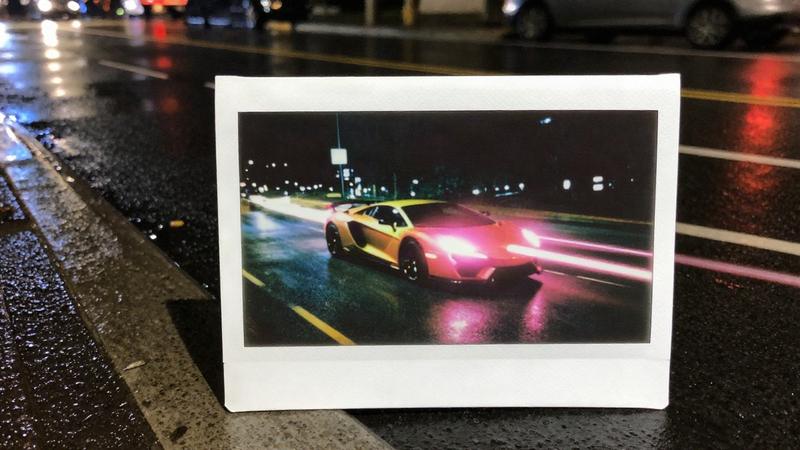
LTX 2.5 Fast Image to Video
LTX 2.5 speed mode for pictures: quick animations and two-frame transitions, up to 4K.
Image to video / from $0.09 / sGo to the source
From the FlyMy.AI model catalog of 2026-11-18: inputs from the model's live schema, prices from FlyMy.AI billing. Requests are examples to paste, not recorded runs.