MCP / Models / Image editing
GPT Image 2.6 Sunburst Edit MCP: precise multi-round edits
OpenAI GPT Image 2.6 Sunburst Edit is the precision editor of 2.6: each change is scoped tightly and the frame stays steady over many revisions. Run it from Claude Code, Codex, Cursor or any MCP client through one FlyMy.AI MCP, or call its API.

$ YOUR NEXT RUN
 Any agent
Use GPT Image 2.6 Sunburst Edit in your assistant
Paste this prompt into Claude Code, Codex, Cursor or any agent. It reads the guide and helps you connect.
Read https://flymy.ai/skill.md and https://flymy.ai/mcp/models/gpt-image-2-6-sunburst-edit.md. Help me connect the FlyMy.AI MCP to this assistant, then run GPT Image 2.6 Sunburst Edit (flymyai/gpt-image-2-6-sunburst_edit) for this task: Replace the background of the photo I attach with a desert road at dusk using GPT Image 2.6 Sunburst Edit.
What GPT Image 2.6 Sunburst Edit does
Use it for production creative where the untouched part of the picture must not drift: brand assets, product pages and multi-step retouching. It takes longer per edit than GPT Image 2.6 Edit. Inputs: image (required), prompt, quality, size and moderation.
GPT Image 2.6 Sunburst Edit inputs
Every input of flymyai/gpt-image-2-6-sunburst_edit as its live schema lists them. Returns image (array).
| Input | Type, values and default |
|---|---|
# prompt | string required |
# moderation | string optional Allowed: low, auto |
# quality | string optional Allowed: high, medium, low Default: medium |
# size | string optional Allowed: 1024x1024, 1536x1024, 1024x1536, auto Default: 1024x1024 |
# image | file required Allowed: image file, as a URL or upload |
Ask your agent
Requests to paste as they are, once the FlyMy.AI MCP is connected.
flymyai/gpt-image-2-6-sunburst_editflymyai/gpt-image-2-6-sunburst_editflymyai/gpt-image-2-6-sunburst_editGPT Image 2.6 Sunburst Edit price
From $0.009 per run, depending on quality and size. A run at the default settings costs $0.032. A run costs $0.009 to $0.188, depending on quality and size. Billed to your FlyMy.AI balance; no seats, no subscription and no minimum.
Call GPT Image 2.6 Sunburst Edit from code
The same model, from an agent or from your own code. Keys stay in your FlyMy.AI account.
From an agent, through the MCP
The agent calls get_model_schema, then run_model with:
{
  "endpoint_id": "flymyai/gpt-image-2-6-sunburst_edit",
  "input": {
    "prompt": "Replace the background with a marble table by a sunny window",
    "image": "https://example.com/photo.jpg"
  }
}
From your code, over HTTP
Form fields, not JSON; files go as uploads or public URLs. The answer is a prediction_id; read the result at https://api.flymy.ai/api/v1/flymyai/gpt-image-2-6-sunburst_edit/predict/async/result/?request_id=<prediction_id>.
curl -X POST https://api.flymy.ai/api/v1/flymyai/gpt-image-2-6-sunburst_edit/predict/async/ \
  -H "X-API-KEY: $FLYMYAI_API_KEY" \
  -F 'prompt=Replace the background with a marble table by a sunny window' \
  -F "image=@photo.jpg"
Questions about GPT Image 2.6 Sunburst Edit
Do I need a OpenAI API key for GPT Image 2.6 Sunburst Edit?
No. GPT Image 2.6 Sunburst Edit runs on FlyMy.AI's account, so you need no OpenAI key or plan: sign in to FlyMy.AI once and each run is billed to your FlyMy.AI balance.
How much does GPT Image 2.6 Sunburst Edit cost?
From $0.009 per run, depending on quality and size. There is no subscription or minimum; the price comes from FlyMy.AI billing and was checked on 2026-11-09.
How do I use GPT Image 2.6 Sunburst Edit in Claude Code, Codex or Cursor?
Add the FlyMy.AI MCP with one command and sign in, then ask in plain words, for example: "Replace the background of the photo I attach with a desert road at dusk using GPT Image 2.6 Sunburst Edit." Your agent reads the inputs with get_model_schema and runs flymyai/gpt-image-2-6-sunburst_edit with run_model.
What does GPT Image 2.6 Sunburst Edit need as input?
GPT Image 2.6 Sunburst Edit requires prompt and image; it also takes 3 optional inputs, each listed on this page with its allowed values and default.
Can I call GPT Image 2.6 Sunburst Edit from my own code?
Yes. Send form fields to https://api.flymy.ai/api/v1/flymyai/gpt-image-2-6-sunburst_edit/predict/async/ with your FlyMy.AI API key in the X-API-KEY header.
More image editing models
Change a picture you already have: background, objects, style, text in the frame, or its resolution.

GPT Image 2.6 Edit
OpenAI's current editor: fix packaging text or swap a product while the rest stays put.
Image editing / from $0.009 / run
GPT Image 2.5 Edit
The 2.5 Flare editor: swap a product, background or headline and leave the rest alone.
Image editing / from $0.009 / run
GPT Image 2.5 Sunburst Edit
The 2.5 precision editor that holds composition steady across many rounds of changes.
Image editing / from $0.009 / run
GPT Image 2.0 Edit
OpenAI's 2.0 editor, kept for pipelines that already depend on its output.
Image editing / from $0.009 / run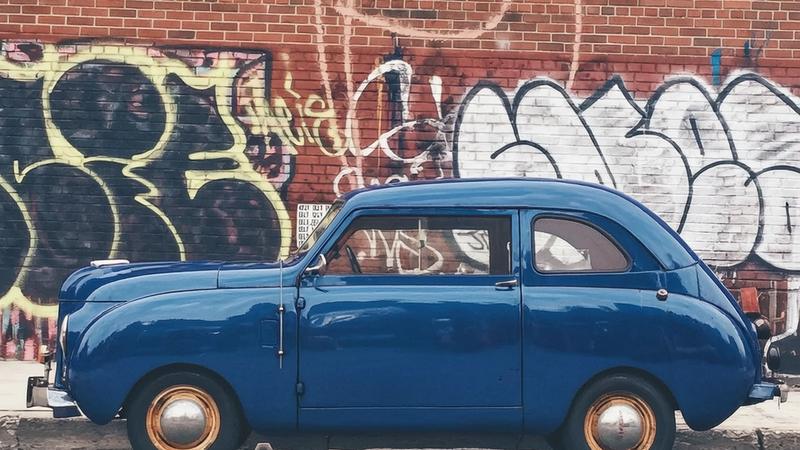
Wan 2.7 Image Edit
Alibaba's editor for local and style changes, with layout boxes and color palettes.
Image editing / $0.03 / image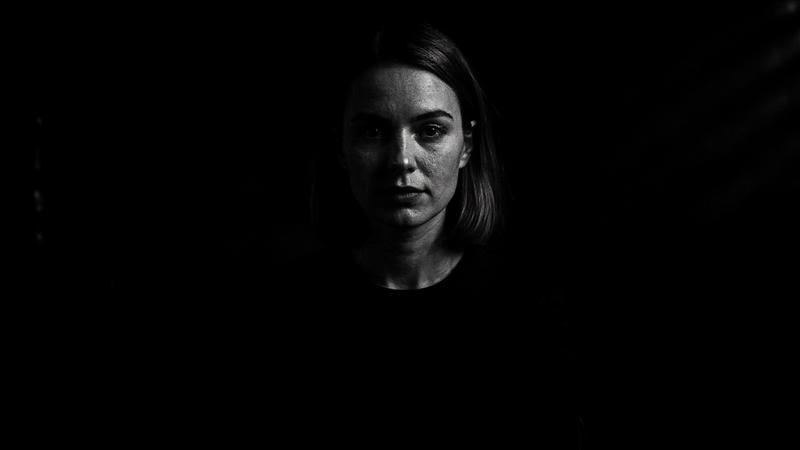
FLUX.1 Kontext Max
The top Kontext tier for demanding instruction edits and typography changes.
Image editing / $0.08 / runGo to the source
From the FlyMy.AI model catalog of 2026-11-09: inputs from the model's live schema, prices from FlyMy.AI billing. Requests are examples to paste, not recorded runs.